Introduction
In an era where technology is advancing at unprecedented rates, passwords remain one of the most common yet misunderstood gatekeepers of digital identity.
Despite the emergence of passkeys, biometrics, and other advanced login mechanisms, the humble password remains the key to everything from your email and cloud storage to your financial data and developer tools.
But here’s the problem: we’ve normalized bad habits. Think of how many times you’ve seen someone reuse the same password across multiple accounts, write it down on sticky notes, or store it in plain text files on their desktop.
Even in professional environments, weak credentials continue to slip through the cracks, often becoming the very entry points hackers exploit. That’s why password security best practices aren’t just nice to have anymore, they’re a necessity.
And it’s not just about choosing a complex string of characters. Password management best practices encompass the creation, storage, protection, and rotation of credentials over time.
Whether you're a software developer managing user credentials, a product team enforcing authentication policies, or a casual user trying to keep your data safe, understanding how to protect your passwords is fundamental to cybersecurity hygiene.
This blog will outline what strong password habits look like, examine effective password practices, and offer practical password security tips to safeguard both individual and organizational identities.
We’ll also highlight common mistakes to avoid, tools to help you manage passwords securely, and explain how techniques like multi-factor authentication (MFA) can significantly increase the security of your accounts.
Because let’s face it, if your password security isn’t evolving, neither is your defense.
What Are Password Management Best Practices?
Password management best practices are security guidelines designed to protect user accounts from unauthorized access.
The most important practices include:
-
Use long passphrases instead of short passwords
-
Avoid password reuse across accounts
-
Enable multi-factor authentication (MFA)
-
Store passwords securely using password managers
-
Monitor accounts for data breaches
These practices help reduce risks like credential stuffing, phishing, and brute-force attacks.
The Secrets of Strong Passwords
At a glance, passwords seem simple. Just a few characters strung together, right? However, underestimating their complexity is where many users—and even developers—often go wrong.
The strength of a password isn’t just about being hard to guess; it’s about being hard to crack even by machines. In an era of credential stuffing, brute-force attacks, and leaked databases, effective password practices are the cornerstone of digital security.
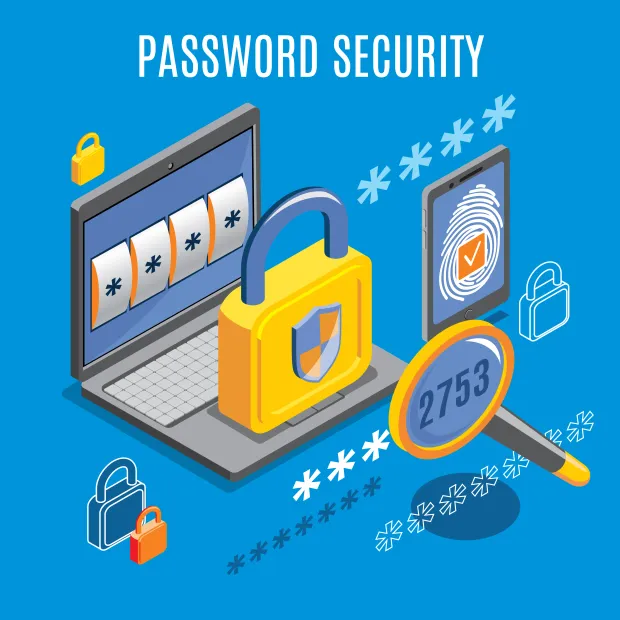
Let’s break down what makes a password truly strong—and why it matters now more than ever.
Longer Is Stronger
Gone are the days when a mix of uppercase, lowercase, numbers, and symbols was enough. Today, length is a bigger factor than complexity.
A 16-character passphrase, such as elephants_run_under_blue_sky, is significantly harder to crack than a short, complex password like T3$7#x. Why? Because longer strings exponentially expand the number of combinations, making brute-force attacks computationally expensive and time-consuming.
Encourage users to create memorable passphrases composed of random yet personal associations. This makes them easier to remember and harder to hack.
Avoid Predictable Patterns
Attackers know our habits. They know we use Welcome2025, Admin@123, or even John1990! as passwords. These patterns are regularly included in cracking dictionaries and are often the first to be tested during credential stuffing.
Strong passwords avoid:
-
Names or common nouns
-
Email address strings
-
Birthdays or anniversaries
-
Sequences like 123456 or qwerty
In fact, tools like Have I Been Pwned show how often seemingly “unique” passwords appear in public breach dumps.
Uniqueness Is Non-Negotiable
If one of your passwords is compromised, all your other accounts using the same credentials are instantly at risk. This is why reusing passwords across sites or apps is one of the most dangerous habits.
Unique passwords act like firewalls, isolating one breach from becoming a multi-system disaster. From a developer or security admin's perspective, ensuring users follow password best practices like this can drastically reduce lateral movement during an attack.
Randomness Beats Cleverness
No, replacing an "o" with a zero doesn’t count as secure. Attackers know P@ssw0rd! It is still “password.” True randomness—especially when generated by a password manager or cryptographic tool—is much harder to predict or crack.
Examples:
- Weak : abc@123
- Strong : jP9$v2!fmTz8q&Ax
When passwords follow recognizable formats or mimic words, they lose the very unpredictability that makes them secure.
Balance Between Security and Usability
While technically you could create a 64-character password with random symbols, it wouldn’t be usable or memorable. The real secret lies in password management best practices, utilizing tools and methods that strike a balance between high security and user convenience.
The next sections will delve into how tools like password managers and MFA work in conjunction with strong passwords to build truly secure identity systems.
Because knowing how to protect your passwords is more than an IT checklist—it’s a daily habit that begins with mastering the basics.
How Password Managers Enhance Security
Let’s be honest, remembering a unique, complex password for every account is impossible for most people. Between work apps, developer tools, banking portals, and social logins, the average person manages over 100 passwords.
It’s no surprise that people often fall back on insecure habits, such as writing passwords down, using the same one across multiple accounts, or relying on browsers to store them. This is exactly where password managers step in, not just as a convenience tool, but as a critical pillar of password security best practices.
What Is a Password Manager?
A password manager is a secure application that stores and encrypts all your passwords in a digital vault, allowing you to use one master password (or biometric authentication) to access them. These tools don’t just store passwords, they generate strong, random ones, autofill login forms, and alert you to weak or reused credentials.
Popular options include:
-
Individual-use tools like 1Password, Bitwarden, or Dashlane
-
Enterprise solutions like LastPass Teams or Keeper Business
-
Integrated managers in OS or browsers, like Apple Keychain or Chrome Password Manager (though these are less secure in shared environments)
Why Password Managers Are Better Than Your Brain
Human memory is fallible, especially under stress. We forget passwords, mix them up, or worse, resort to using the same one across critical services. A password manager takes that cognitive load off, allowing you to:
-
Store unique passwords for every app, system, or website
-
Generate uncrackable strings like Rj9$z!lFp7X&!v#c
-
Access credentials securely across devices (via encryption and sync)
-
Automatically detect if your credentials were part of a breach
This is why many security experts consider using a password manager one of the top password management best practices today.
Built-In Safeguards: Encryption and Zero Knowledge
Well-designed password managers use AES-256 encryption, the same standard used by banks and governments. More importantly, most employ a zero-knowledge architecture, meaning even the provider itself cannot see or retrieve your stored credentials.
Even if a password manager service were breached, your data would remain unreadable without the master password or biometrics, which are stored only on your device.
Enterprise Benefits: Streamlined Identity Governance
For organizations, password managers aren't just a personal productivity tool—they’re a critical security layer. They help enforce user password management policies, reduce helpdesk calls related to lost credentials, and support role-based access by:
-
Allowing secure sharing of credentials without revealing the actual password
-
Revoking access when employees leave or roles change
-
Logging usage and access activity for compliance
Whether you’re a developer managing API keys or an admin assigning vaults to teams, integrating password managers into your authentication workflow reduces friction while increasing control.
Eliminating the “Reused Password” Threat
One of the biggest causes of credential-based breaches is password reuse. Password managers directly counter this by automatically creating unique credentials for each system, eliminating the domino effect of one leaked password compromising multiple accounts.
It’s one of the simplest yet most effective password security tips available—yet often ignored.
Combine Password Managers with Other Layers
While password managers are powerful, they’re most effective when used in tandem with:
-
Multifactor Authentication (MFA)
-
Encrypted storage for sensitive notes or credentials
-
Regular audits of stored credentials for strength and breach history
In short, they’re not a silver bullet—but they are an essential weapon in your identity security arsenal.
With password managers, you're not just storing credentials—you’re shifting your entire approach to password security best practices. You're building a system that eliminates human error, promotes best practices, and scales as your digital footprint expands.
Next, let’s explore how Multifactor Authentication (MFA) adds an even stronger layer of defense to this layered security approach.
How Multifactor Authentication (MFA) Adds an Extra Layer of Security
No matter how strong your password is, if it’s the only thing standing between an attacker and your account, it’s not enough. Passwords can be phished, guessed, or stolen in a data breach. That’s why Multifactor Authentication (MFA) is no longer optional—it’s a non-negotiable layer in any serious approach to password security best practices.
MFA doesn’t replace the password—it fortifies it.
What is MFA, Really?
Multifactor Authentication is a security method that requires users to present two or more verification factors to gain access to a resource, such as an application, online account, or virtual private network (VPN). These factors typically fall into three categories:
-
Something you know – like a password or PIN
-
Something you have – like a phone, hardware token, or authentication app
-
Something you are – like a fingerprint or facial recognition (biometrics)
By requiring an additional factor, MFA ensures that even if your password is compromised, an attacker still can’t get in without the second piece.
Real-World Example: Why MFA Stops Most Attacks
Let’s say a hacker gets your Gmail password from a breached third-party site where you reused the same credentials. Without MFA, they log in effortlessly.
With MFA enabled, however:
-
They’re immediately challenged with an OTP (One-Time Password) from your phone or an authentication app.
-
Even if they try from a new device or location, you’re alerted instantly.
-
They hit a wall.
This is the power of adding an extra layer of security. It breaks the attack chain.
Types of MFA Methods and Their Strengths
MFA has evolved. It’s not just SMS codes anymore. Here are some of the most secure and widely used options today:
| MFA Method | Security Level | Notes |
|---|---|---|
| TOTP (Time-based OTP) | High | Apps like Google Authenticator or Authy |
| Push Notification MFA | High | Approve login via a mobile prompt |
| Hardware Tokens (e.g., YubiKey) | Very High | Great for developers, enterprises |
| Biometric MFA | Very High | Face ID, Touch ID—hard to spoof |
| SMS-based Codes | Medium | Easy to intercept; not recommended as sole factor |
For LoginRadius users, integrating adaptive MFA adds intelligence, prompting MFA only during risky behaviors (new location, device, or IP). This balances password security best practices with usability.
MFA for Developers and Identity Architects
If you're building login flows for your app, enforcing multi-factor authentication (MFA) at both the account and privileged action levels is a smart strategy.
-
Require MFA for critical functions (like changing email/password or exporting data).
-
Allow users to choose between factors (push, OTP, biometric).
-
Use step-up authentication: elevate to MFA when risk increases.
Platforms like LoginRadius simplify this with built-in MFA orchestration that works seamlessly across APIs, SDKs, and hosted pages.
MFA + Password Manager = A Powerful Duo
Pairing MFA with a password manager forms a robust identity security stack:
-
Strong, unique passwords for every site
-
MFA as a second layer, especially for high-value targets
-
Centralized control for both users and admins
This combination dramatically reduces the risk of unauthorized access, even if your credentials are compromised.
Make MFA Mandatory—Not Just Available
Many platforms offer multi-factor authentication (MFA) as an option, but users rarely enable it unless prompted. Password security best practices mean enforcing MFA by default, especially for:
-
Admin accounts
-
Developers and technical users
-
Any access to sensitive or personal data
From a compliance and breach-prevention standpoint, this move alone can significantly reduce the number of identity-based attacks.
In short, MFA transforms static passwords into dynamic defenses. It's a friction worth embracing—because modern attacks move fast, and your users deserve better than a single point of failure.
Developer Tip: Enabling MFA with LoginRadius
LoginRadius enables MFA with just a few configuration steps through the Admin Console or via API. You can choose from multiple factors, such as one-time password (OTP) via email or SMS, push notifications, or authenticator apps.
10 Password Best Practices for 2025 and Beyond
Even in a world increasingly leaning toward passwordless options, passwords remain a cornerstone of access control across applications, cloud platforms, and everyday tools. But not all passwords are created equal, and neither are the habits surrounding them.
Following structured, modern password best practices helps prevent account compromise, minimizes breach exposure, and strengthens your identity security posture. Whether you're managing your own credentials or designing secure systems for users, here are ten essential password security tips to live by in 2025.
1. Use Long, Passphrase-Style Passwords
Gone are the days of short, complicated strings like Xy7$!F. A long passphrase made of random words (e.g., peanut-cliff-orange-wizard-mango) is easier to remember and harder to crack. Length increases entropy, making brute-force attacks computationally expensive.
Why it matters: Long, human-readable passphrases strike a balance between usability and top-tier password security.
2. Never Reuse Passwords Across Accounts
Reusing passwords is a disaster multiplier. If one platform is breached, attackers test the same credentials across hundreds of sites using automated tools (credential stuffing). Each account, especially work logins—should have its own unique password.
Why it matters: This simple habit can stop multi-platform compromise in its tracks.
3. Enable MFA on All Critical Accounts
We’ve covered this in depth, but it bears repeating—multifactor authentication is non-negotiable. Add MFA wherever possible, especially on admin tools, developer platforms (such as GitHub and AWS), and accounts that hold sensitive information.
Why it matters: MFA neutralizes the risks of stolen passwords by requiring additional verification.
Tip: Learn how MFA works in our blog on What is Multi-Factor Authentication?
4. Avoid Storing Passwords in Browsers or Files
Many people trust browsers to save passwords, but this can be risky, especially in shared or unmanaged environments. Likewise, saving credentials in .txt files or on sticky notes introduces serious security risks.
Why it matters: Anyone with access to your device (physically or remotely) can harvest these passwords.
5. Use a Reputable Password Manager
We’ve already covered this in depth, but it’s worth reinforcing: password managers support both individual and organizational security. They ensure randomness, uniqueness, and encrypted storage—three things your memory alone can’t guarantee.
Why it matters: Password managers automate good password practices and reduce human error.
Explore more in: How Password Managers Enhance Security.
6. Change Passwords When There's a Real Reason—Not Just on a Schedule
Old advice used to recommend changing passwords every 30 to 60 days. However, frequent, forced changes often lead to weaker passwords (e.g., Password1, Password2, etc.). Instead, change passwords:
-
After a breach
-
When sharing access was necessary
-
If phishing is suspected
Why it matters: Password freshness matters, but only when tied to risk—not habit.
7. Don't Share Passwords—Use Role-Based Access Instead
Instead of giving one login to multiple users, create individual accounts and assign roles. This way, you can control access and audit activity per user.
Why it matters: Shared passwords undermine accountability and increase the potential impact of a breach.
8. Avoid Using Personal Information in Passwords
Never include your name, birth year, favorite sports team, or pet’s name. These details are easily found on social media and are often included in password-cracking tools.
Why it matters: Personal info makes your password vulnerable to social engineering.
9. Monitor for Leaked Credentials
Regularly check if your accounts or passwords have been exposed using services like:
-
Browser alerts (Firefox Monitor, Chrome breach alerts)
-
Security dashboards in enterprise environments
Why it matters: Early detection of leaked credentials gives you time to act before attackers do.
10. Educate Teams on Password Security Best Practices
Security isn’t just a product feature—it’s a culture. Ensure that your team, users, or customers understand the “why” behind protecting your passwords. Build password policies into onboarding, offer training, and keep the language accessible to ensure a seamless user experience.
Why it matters: Humans are the weakest link—or the strongest defense—depending on what they know.
These 10 password best practices aren’t just technical suggestions—they’re habits that shape how we interact with digital systems. With the growing complexity of identity ecosystems, embracing these strategies is essential for anyone who wants to stay secure in 2025 and beyond.
What Password Mistakes Should You Avoid?
Strong passwords are only effective when they’re handled correctly. Yet time and again, data breaches, leaked credentials, and identity theft incidents trace back to simple—often preventable—mistakes. No matter how secure a platform is, poor password hygiene on the part of the user can undo everything.
Let’s walk through the most common password management mistakes, why they’re dangerous, and what to do instead. Understanding these pitfalls is crucial for building truly resilient authentication workflows and adhering to password security best practices.
1. Reusing the Same Password Across Multiple Accounts
This is the cardinal sin of password usage. When users recycle passwords across sites, a breach on any one of those platforms compromises them all. Credential stuffing attacks exploit this behavior by testing stolen logins on hundreds of popular services.
Instead, always use unique passwords. Password managers help eliminate the temptation to reuse them.
2. Using Short, Guessable, or Common Passwords
Attackers often use pre-built “password dictionaries” that contain millions of common combinations like:
-
123456
-
password!
-
qwerty123
-
Welcome2024
-
John@123
These are cracked in seconds using automated tools. Short passwords of 12 characters or fewer are especially vulnerable.
Instead, create long, passphrase-style passwords that don’t rely on personal or easily guessed info.
3. Including Personal Information in Passwords
Names, birthdays, favorite bands, pet names—these are all data points that an attacker can gather through simple research or social engineering. Using them in your password makes you an easy target.
Instead, avoid anything that ties your password to your real-world identity. Randomness equals resilience.
4. Storing Passwords in Unsecure Locations
Whether it’s a sticky note on your desk, a spreadsheet titled “logins.xlsx,” or your browser’s auto-fill settings, these storage methods are risky. If someone gains physical or remote access to your device, your credentials are gone.
Instead, use an encrypted password manager with multi-device sync and zero-knowledge architecture.
5. Ignoring or Delaying MFA Setup
Many users postpone setting up MFA, despite platforms strongly recommending it. This delay creates a window of vulnerability. If a password is ever compromised during that time, there’s no second layer of protection.
Instead, enable MFA as soon as it becomes available. Treat it as essential, not optional.
Learn more in our guide to Multi-Factor Authentication.
6. Falling for Phishing Scams
Phishing emails and fake login screens trick users into entering their credentials on malicious websites. It doesn’t matter how strong your password is—if you give it to an attacker, it’s game over.
Instead, always double-check URLs, avoid clicking login links from emails, and use password managers (which won’t autofill credentials on phishing sites).
7. Disabling Auto-Logout or Session Expiry
Leaving sessions open for days or weeks on shared devices increases exposure. If someone else uses your device, they may be able to access sensitive accounts without needing to log in.
Instead, set accounts to auto-logout after a period of inactivity and avoid saving login sessions indefinitely.
8. Sharing Passwords with Team Members or Family
It might seem harmless to share a Netflix login or give a coworker your admin credentials "just this once." But it removes individual accountability and increases the risk of a security incident.
Instead, use individual user accounts and role-based access controls (RBAC) to delegate permissions without sharing passwords.
9. Using Default Passwords on Devices or Admin Panels
IoT devices, routers, CMS platforms, and databases often ship with default admin credentials like admin/admin or root/toor. Leaving them unchanged is an open invitation for attackers.
Instead, always change default credentials during the first setup and document access securely.
10. Relying Only on Passwords
Passwords alone can’t stand up to today’s cyber threats. Without secondary authentication, they’re one step away from being compromised, especially if stored, transmitted, or handled improperly.
Instead, combine strong password creation with multifactor authentication, secure storage, and breach monitoring tools to enhance your security.
By avoiding these common mistakes, you dramatically reduce your risk of compromise and align with modern password management best practices. Many of these errors are rooted in convenience; however, in the realm of security, convenience is often the enemy of resilience.
Password Management for Individuals vs Enterprises
Password security strategies differ significantly between individual users and organizations.
For Individuals
-
Use password managers to store credentials securely
-
Avoid reusing passwords across multiple platforms
-
Enable MFA wherever possible
-
Use long passphrases instead of complex short passwords
For Enterprises
-
Enforce centralized password policies
-
Implement adaptive multi-factor authentication
-
Monitor for breached credentials
-
Integrate identity platforms for authentication control
Enterprise systems often combine password policies with Single Sign-On (SSO) and identity governance to strengthen security.
NIST Password Guidelines Every Organization Should Follow
Modern password policies should align with recommendations from the National Institute of Standards and Technology (NIST), particularly the NIST SP 800-63B digital identity guidelines.
Key guidelines include:
-
Allow long passwords (up to 64 characters)
-
Avoid forced password rotation unless compromised
-
Block commonly used or breached passwords
-
Encourage passphrases instead of complex passwords
Organizations operating under compliance frameworks such as SOC 2, ISO 27001, and HIPAA must ensure strong authentication practices are enforced.
Following these standards improves both security posture and regulatory compliance.
What Ways Do Hackers Use to Hack or Gain Passwords?
Understanding how attackers steal passwords is the first step in defending against them. While many people assume hacking means breaking into a system with complex code, the reality is that most breaches happen through password-related vulnerabilities, often caused by human error or weak defenses.
In this section, we’ll explore the most common and effective methods hackers use to gain unauthorized access through passwords. Knowing these attack vectors helps you adopt password security best practices that are grounded in real-world threat models.
1. Phishing and Social Engineering Attacks
Phishing is one of the oldest and most effective tactics used by cybercriminals. It involves tricking users into voluntarily revealing their passwords, usually through fake login pages, emails, or text messages that appear legitimate.
For example:
-
An email claims to be from your bank, warning of suspicious activity and requesting that you “verify your account.”
-
You click the link, which opens a site that looks real, and enter your credentials… unknowingly sending them straight to the attacker.
How to protect your passwords:
-
Never click login links from unsolicited emails.
-
Verify URLs carefully before entering credentials.
-
Use password managers—they won’t autofill passwords on spoofed websites.
2. Credential Stuffing
This automated attack leverages username-password pairs leaked in previous breaches. Attackers test these credentials across many websites, banking on the fact that many users reuse passwords across services.
Credential stuffing is responsible for numerous high-profile incidents, particularly on consumer platforms such as streaming services, e-commerce sites, and even developer tools.
Best practices for password security:
-
Use unique passwords for every account.
-
Monitor for leaked credentials using breach-checking tools.
-
Implement account lockout policies after multiple failed attempts.
3. Brute Force Attacks
This is the classic “guess until it works” approach. Attackers use automation to try thousands (or millions) of password combinations rapidly until they find the correct one.
Brute force attacks are surprisingly effective against accounts with:
-
Short or simple passwords (e.g., under 8 characters)
-
No rate-limiting or lockout protections
-
No MFA
Good password practices to defend against brute force:
-
Use long, random passwords (preferably 14+ characters).
-
Enable CAPTCHA or rate-limiting on login endpoints.
-
Require MFA on all high-privilege accounts.
4. Keyloggers and Malware
Keyloggers are malicious programs that record every keystroke you make, including passwords. They’re often delivered through:
-
Infected downloads
-
Phishing emails with malicious attachments
-
Exploited software vulnerabilities
Once installed, a keylogger silently transmits your credentials to an attacker without any visible signs.
Password security tips:
-
Keep antivirus software updated.
-
Avoid downloading unknown attachments or pirated software.
-
Use multi-layered security, like MFA, which can mitigate the use of stolen passwords.
5. Man-in-the-Middle (MitM) Attacks
These occur when an attacker intercepts communication between your device and the website you’re logging into, often over public or unsecured Wi-Fi networks. If the connection isn’t properly encrypted (HTTPS), your credentials could be exposed in plaintext.
How to protect your passwords in transit:
-
Never enter passwords on websites without HTTPS.
-
Avoid public Wi-Fi for logging into sensitive accounts.
-
Use a VPN to encrypt your internet traffic.
6. Exploiting Default or Weak Passwords
IoT devices, routers, CMS platforms, and even enterprise tools often ship with default credentials like admin:admin or user:password. Attackers routinely scan the internet for such systems and exploit them instantly.
Password management best practices:
-
Change default credentials during initial setup.
-
Enforce strong password policies in your applications.
-
Regularly audit systems for weak or unchanged admin passwords.
7. Shoulder Surfing and Physical Theft
Sometimes the attack isn’t digital. If you write passwords on sticky notes, store them in your notebook, or leave your device unlocked, a curious observer (or disgruntled insider) can easily take advantage.
Best practices for physical password security:
-
Don’t write passwords down unless stored securely.
-
Use screen locks and password vaults.
-
Enable full-disk encryption on your devices.
8. Exploiting Poor Password Storage Practices by Developers
If your backend stores passwords in plaintext or uses weak hashing algorithms (like MD5 or SHA-1), any data breach will immediately expose all user credentials. Sadly, this still happens—even today.
Developer-side password security best practices:
-
Always hash passwords using bcrypt, scrypt, or Argon2.
-
Add a unique salt per user.
-
Never log or transmit passwords in plaintext.
Hackers don’t rely on a single method—they chain together multiple strategies to find weak spots in human behavior, poor implementation, or lack of layered security. That’s why defending your passwords requires a combination of good user habits, strong technology choices, and continuous monitoring.
The good news? These attacks are preventable with awareness, tooling, and a commitment to follow password security best practices.
Developer Reminder:
If you're building your own auth flows, never store raw passwords. Always hash them using secure algorithms like bcrypt or Argon2, and apply a unique salt per user.
With LoginRadius, this is handled by default. Our backend utilizes salted bcrypt, preventing plaintext storage and retrieval, thereby reducing the risk of developer-side misconfigurations.
The Future of Password Security: Passkeys and Passwordless Authentication
The industry is rapidly moving toward passwordless authentication.
Passkeys replace traditional passwords with cryptographic credentials stored on user devices.
Major platforms like Google, Apple, and Microsoft are leading the adoption of passkeys and passwordless authentication.
Benefits include:
-
resistance to phishing attacks
-
improved user experience
-
stronger authentication security
Organizations are increasingly combining passwordless authentication with MFA to eliminate password-related risks entirely.
Conclusion
For all the innovation happening in the world of authentication passkeys, biometrics, and device fingerprinting, passwords are still the most widely used gatekeepers of digital identity. And for many businesses, developers, and everyday users, they remain the first (and sometimes only) line of defense against a breach. But a password is only as strong as the practices that support it.
The truth is, there’s no magic tool that will completely protect your identity if poor habits persist. Real security comes from consistent behavior, thoughtful implementation, and using the right tools to reduce risk. That means educating your users, simplifying secure choices, and designing systems that prioritize usability without compromising safety.
If you’re building apps or platforms that handle user data, integrating password management best practices from day one isn’t just responsible—it’s essential. The cost of weak security is no longer limited to downtime; it can mean loss of trust, compliance penalties, or reputational damage.
Ready to Strengthen Your Password Security Strategy?
Following password management best practices is essential, but managing them at scale is where most organizations struggle.
From enforcing strong password policies to preventing credential-based attacks, modern identity security requires more than just guidelines.
With LoginRadius, you can:
-
Enforce strong password policies and passwordless authentication
-
Detect and block compromised credentials in real time
-
Implement MFA and adaptive authentication for added security
-
Centralize identity management across applications and users
Take control of your authentication strategy and eliminate password risks before they become breaches.
FAQs
Q: What are password management best practices?
A: Password management best practices include using strong passwords, enabling MFA, avoiding reuse, and using password managers.
Q: What is the best password algorithm?
A: The best password hashing algorithms are bcrypt, scrypt, and Argon2—they’re designed to be slow, adaptive, and resistant to brute-force attacks.
Q: What is the safest way to store passwords?
A: The safest way is to use a secure password manager or encrypted identity system.
Q: Are passphrases better than passwords?
A: Yes, passphrases are longer and easier to remember while offering stronger security.
Q: Does MFA eliminate password risks?
A: MFA significantly reduces risk but should be combined with strong password practices.
Q: What are NIST password guidelines?
A: NIST recommends long passwords, no forced resets, and blocking compromised credentials.
Q: What is salting a password?
A: Salting adds a unique, random string to each password before hashing it. This prevents attackers from using precomputed hash tables (rainbow tables) to crack passwords.
Developer Note: If you're using the LoginRadius platform, password salting and secure hashing (bcrypt) are applied automatically as part of our password storage policies. You can customize password policies from your LoginRadius Admin Console or via API.