The GitHub CLI is a recent GitHub released tool that takes tasks of issue / PR management to the terminal. It will be a useful tool that will put more of our workflow for software creation into the textual domain rather than the visual domain. It’s just called gh.
Installation of GitHub CLI
GitHub CLI has releases with significant operating systems, visit the installation page and find instructions on how to install GitHub CLI for your operating system.
For [Windows] and [macOS], you will use the package managers to update and maintain GitHub CLI, and for Linux users, you may need to grab the software from the latest release website.
Here are examples of the installation instructions for each compatible platform:
→ Windows
1scoop bucket add github-gh https://github.com/cli/scoop-gh.gitscoop install gh→ macOS
1brew install github→ Debian/Ubuntu Linux
1sudo apt install git && sudo dpkg -i gh_*_linux_amd64.deb→ Fedora/Centos Linux
1sudo yum localinstall gh_*_linux_amd64.rpm→ Arch Linux
1yay -S github-cliYou’ll need to authenticate your account after you install GitHub CLI. Running any command would activate this process of authentication(via OAuth). Well, you can use Git CLI.
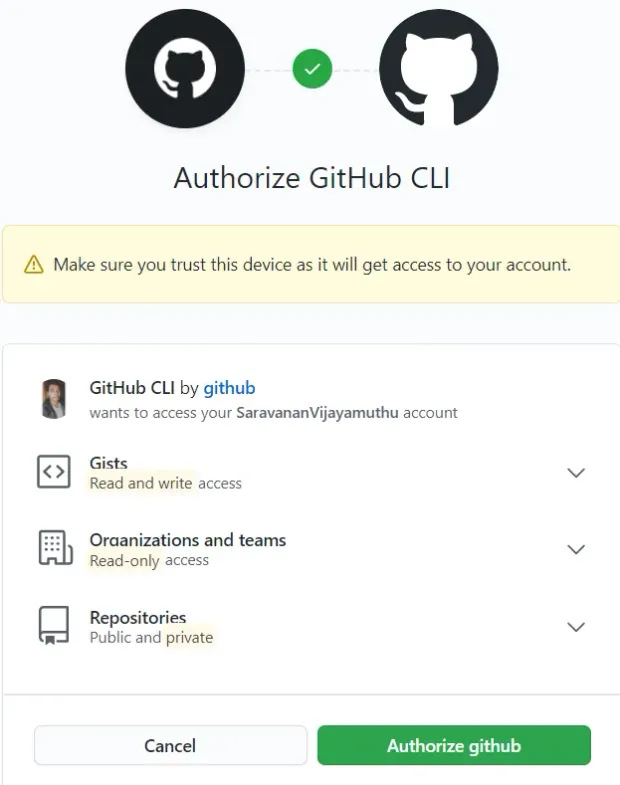
What is CLI really doing?
The GitHub CLI lets you handle issues/ PRs / repositories from inside your console. Let’s have a look at it:
1gh issue [status, list, view, create]
2gh pr [status, list, view, checkout, create]
3gh repo [view, create, clone, fork]
4gh help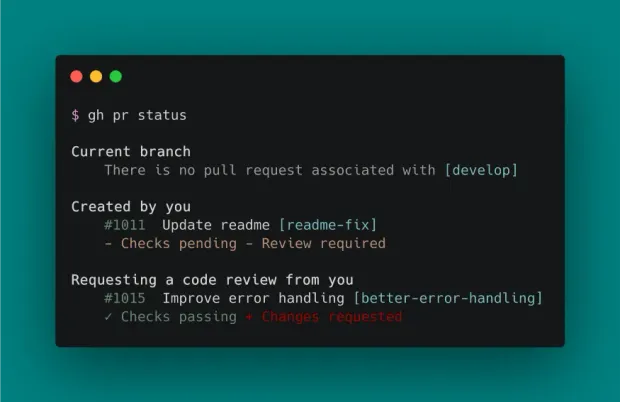
It should be said that gh is not the same stuff as git. It’s because gh just adds GitHub tools to the terminal. Version management is yet to be managed with git.
CLI Commands
We’re going to cover a bunch of exciting commands. Let’s use the official Angular.js repo to run gh commands
Clone the Angular repo, and navigate to the repository. You can either clone the repo through HTTPS/ ssh/ Git CLI. I’m going to clone the repo through git CLI since we are working on GIT CLI.
Let’s execute the $gh issue --help see what commands are available.
1gh issue --help
2Work with GitHub issues
3USAGE
4  gh issue <command> [flags]
5CORE COMMANDS
6  close:      Close issue
7  create:     Create a new issue
8  list:       List and filter issues in this repository
9  reopen:     Reopen issue
10  status:     Show the status of relevant issues
11  view:       View an issue
12FLAGS
13  -R, --repo OWNER/REPO   Select another repository using the OWNER/REPO format
14INHERITED FLAGS
15  --help   Show help for command
16ARGUMENTS
17  An issue can be supplied as an argument in any of the following
18  formats:
19  - by number, e.g. "123"; or
20  - by URL, e.g. "https://github.com/OWNER/REPO/issues/123".
21EXAMPLES
22  $ gh issue list
23  $ gh issue create --label bug
24  $ gh issue view --web
25LEARN MORE
26  Use 'gh <command> <subcommand> --help' for more information about a command.
27  Read the manual at https://cli.github.com/manual
It’s Time to view Problems/issues in the angular repo.😁
1gh issue list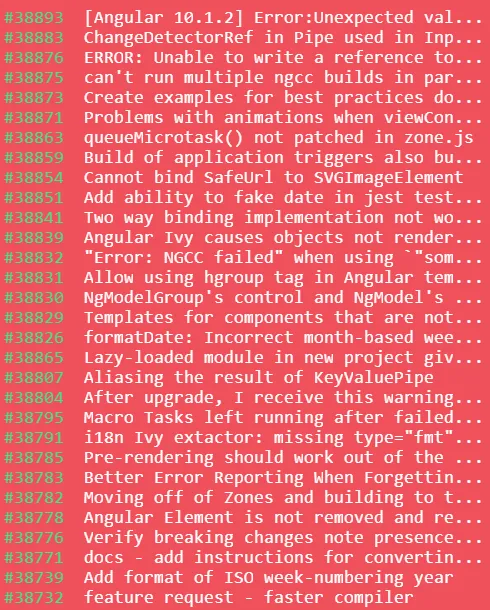
Pull Requests
It is now possible to build a Pull Request (PR) on the terminal. You will perform $gh pr create right after you have committed a feature or bug branch. This interactively creates the pull request.😉
Let’s execute the $gh pr --help see what commands are available.
1Work with GitHub pull requests
2USAGE
3  gh pr <command> [flags]
4CORE COMMANDS
5  checkout:   Check out a pull request in git
6  checks:     Show CI status for a single pull request
7  close:      Close a pull request
8  create:     Create a pull request
9  diff:       View changes in a pull request
10  list:       List and filter pull requests in this repository
11  merge:      Merge a pull request
12  ready:      Mark a pull request as ready for review
13  reopen:     Reopen a pull request
14  review:     Add a review to a pull request
15  status:     Show status of relevant pull requests
16  view:       View a pull request
17FLAGS
18  -R, --repo OWNER/REPO   Select another repository using the OWNER/REPO format
19INHERITED FLAGS
20  --help   Show help for command
21ARGUMENTS
22  A pull request can be supplied as an argument in any of the following formats:
23  - by number, e.g. "123";
24  - by URL, e.g. "https://github.com/OWNER/REPO/pull/123"; or
25  - by the name of its head branch, e.g. "patch-1" or "OWNER:patch-1".
26EXAMPLES
27  $ gh pr checkout 353
28  $ gh pr create --fill
29  $ gh pr view --web
30LEARN MORE
31  Use 'gh <command> <subcommand> --help' for more information about a command.
32  Read the manual at https://cli.github.com/manual
Let’s view some of it:👀******
current PR’s in the repo:
$ gh pr list
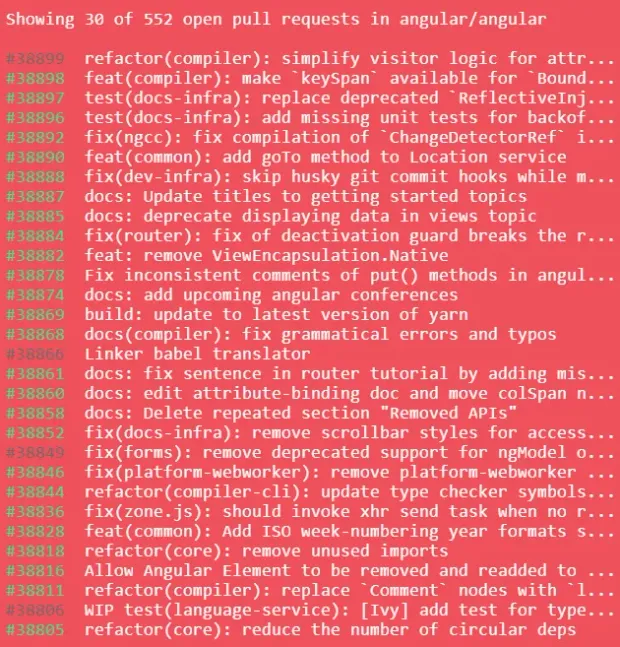
Let’s view an individual pr:*****
I’m going with the first pull request #38899. Through gh cmd $ gh pr view 38899.
1refactor(compiler): simplify visitor logic for attributes
2Draft • atscott wants to merge 1 commit into master from testrefactor
3Labels: cla: yes, comp: compiler, state: WIP, target: patch
4Milestone: needsTriage
5The logic for computing identifiers, specifically for bound attributes can
6  be simplified by using the value span of the binding rather than the source span.
7View this pull request on GitHub: https://github.com/angular/angular/pull/38899
Repository
Let’s execute the $gh repo --help see what commands are available
1Work with GitHub repositories
2USAGE
3  gh repo <command> [flags]
4CORE COMMANDS
5  clone:      Clone a repository locally
6  create:     Create a new repository
7  fork:       Create a fork of a repository
8  view:       View a repository
9INHERITED FLAGS
10  --help   Show help for command
11ARGUMENTS
12  A repository can be supplied as an argument in any of the following formats:
13  - "OWNER/REPO"
14  - by URL, e.g. "https://github.com/OWNER/REPO"
15EXAMPLES
16  $ gh repo create
17  $ gh repo clone cli/cli
18  $ gh repo view --web
19LEARN MORE
20  Use 'gh <command> <subcommand> --help' for more information about a command.
21  Read the manual at https://cli.github.com/manual
It is better to clone a repository using the gh command than with the git command. I have done this above. Only through gh cmd, I have cloned angular repo.
1$ gh repo clone angular/angular
2$ gh repo fork
3- Forking angular/angular...
Start functioning. You should create a new PR after this ($gh pr create)! It’s sort of remarkable that all of that element is now available in the terminal!😍
Gist
It is now simple to create a gist on GitHub from the terminal using the CLI cmd.
1gh gist create < file >Conclusion
Git CLI's primary objective is to "minimize context switching" by allowing you to continue inside your terminal/console, rather than opening your browser to access GitHub. For additional functionality and knowledge on using the current resources, you may link to the manual.