
Hello, Deno
Deno is a new platform for writing applications using JavaScript and TypeScript. It is based on the V8 JavaScript engine and the Rust.
Deno’s lowest level binding layer to the system is tied to promises (called ops). Deno is secure by default, provides first-class TypeScript support, has built-in utilities like a dependency inspector, and supports third-party modules such as lodash .
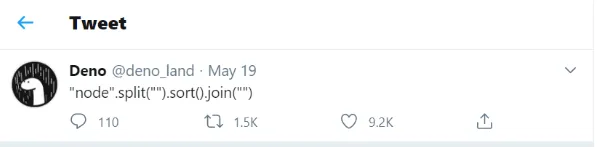
Btw, this is the best damn geeky one-liner code to explain what is Deno. Totally cool.
Installation
Deno works on macOS, Linux, and Windows. Deno is a single binary executable and it has no external dependencies.
See all installation.
Install Deno on Windows 10/8/7
Launch Windows PowerShell and run the following command to install Deno on Windows 10/8/7
1iwr https://deno.land/x/install/install.ps1 -useb | iexInstall Deno on Linux and macOS
Launch terminal and run the following command to install Deno on Linux and Mac
1curl -fsSL https://deno.land/x/install/install.sh | shOpen a new terminal and run deno. You should get a > prompt. Type exit.
After installing deno on your system we just need to create a simple Hello World program by using the following steps :
Step 1. Create a Folder as per your project name by using command prompt
1mkdir HelloWorldDenoStep 2. Create a typeScript file and name it index.ts.
Step 3. Add the following code in index.ts.
1const helloWorld = (name: string = "world") => {
2  console.log(`Hello ${name}!!`);
3}
4helloWorld();
5helloWorld("Friend");
Step 4. Run the following project by using the following command
1deno run index.tsYou can check the result here
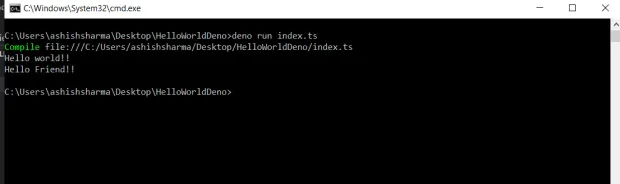
Yupppp it works this is your first Deno program !!


