
Authentication is Not Just a Login Page
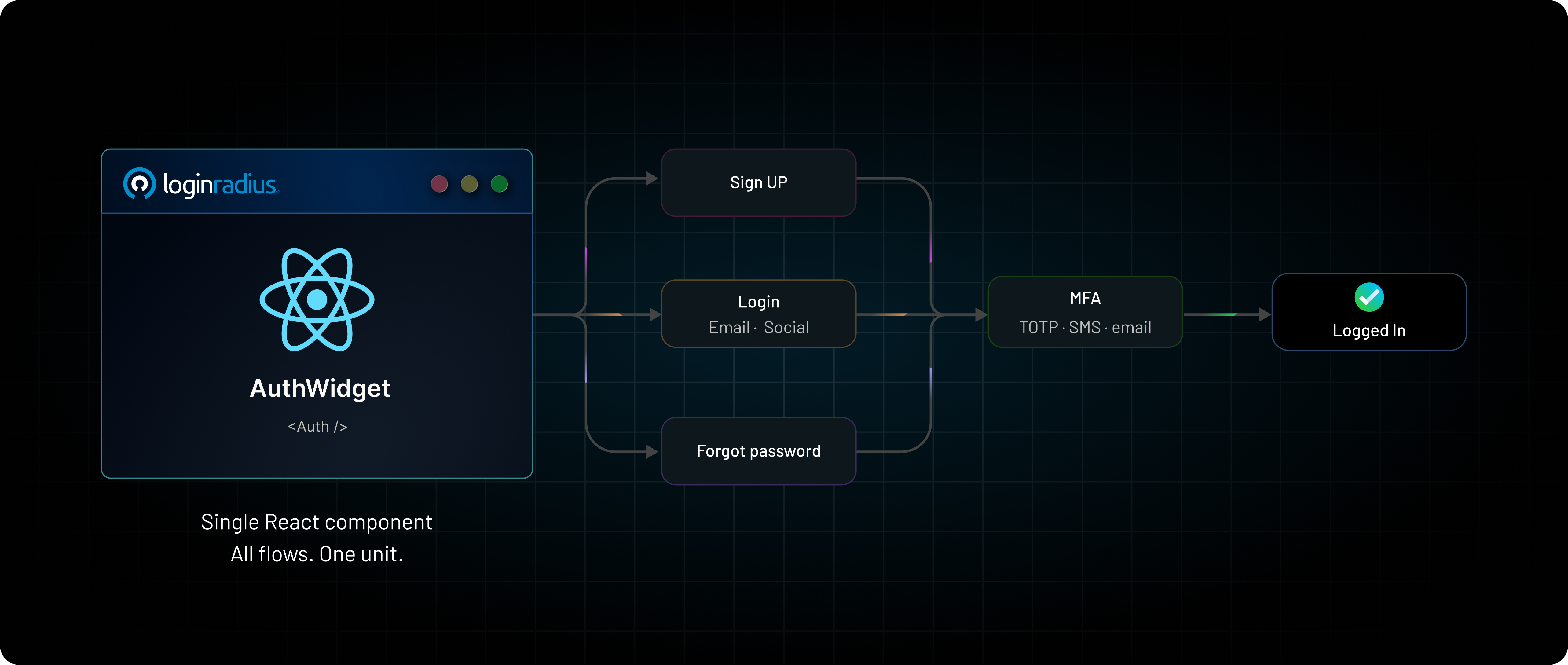
Ask an engineer to add login to an application, and the answer sounds simple: a couple of APIs, a few forms, maybe some session handling.
But that simplicity doesn’t last long.
What starts as a basic login quickly turns into a set of interconnected flows — sign up, email verification, password resets, MFA challenges, social login, edge cases around retries and failures — all of which need to work together reliably.
At some point, authentication stops being “just a screen” and becomes a system that has to handle multiple steps working together.
Most implementations today still treat it as a collection of APIs stitched together with custom UI and logic in between. That works, but it also means every team ends up rebuilding and maintaining the same flows over and over again.
This is the problem we’ve been trying to simplify with what we now call AuthWidget — a single React component that handles these authentication flows as one unit instead of many loosely connected pieces.
In this blog, we’ll walk through where the complexity actually comes from, and how approaching authentication as a component changes how you build it.
The Problem with Building Authentication Yourself
Let's be honest about what "build it yourself" actually entails, because the cost is in the parts nobody demos.
Multiple screens
You need to build screens for sign in, sign up, forgot password, reset password, passwordless request, OTP entry, MFA challenge, MFA enrollment, email verification, phone verification. That's ten distinct UIs before you've added a single social provider — and each needs a loading state, an error state, and an empty state.
State management
These screens aren't independent. Login can branch into an MFA challenge. Registration can branch into email verification. A passwordless request transitions into OTP entry and then into a session. You end up hand-rolling a state machine, and authentication state machines are exactly the kind of code where an unhandled transition becomes a security incident.
API orchestration
Each step is one or more API calls, in order, with tokens threaded between them. Social login alone has a real decision behind it: do you open a popup and receive the token in the background, or navigate the current tab and read the token back from the URL hash or query string?
Each path has different server requirements and different failure modes. LoginRadius exposes this as callbackInsideSameWindow and callbackType — and the matrix of how those two interact is, by itself, a documentation table.
Validation handling
Inline validation, but not too inline — validate on blur or you'll yell at users while they're still typing. Validate on submit regardless. Match the server's rules exactly, or you'll pass the client check and fail the API call with a worse error.
MFA workflows
Enrollment, challenge, multiple factors (authenticator app, SMS OTP, email OTP), backup codes, and the org-level policy that decides whether MFA is required or optional in the first place.
Password recovery
The flow users hit when they're already frustrated, so it's the one you can least afford to get wrong — and the one most likely to be under-tested because it's tedious to exercise.
Error management
Every call can fail in user-facing ways - wrong password, unverified email, expired token, rate limit, network blip. Each needs a message a human can act on, mapped from an error code.
Localization
Every label, placeholder, button, validation message, and error string — across all of the above — in every language you support.
Theming
All of it has to look like your product, not like a vendor's default.
And here's the part that makes this entire process worse than a one-time cost - the complexity compounds. Each new requirement multiplies against everything already there. Add a new language, and you re-translate every screen. Turn on MFA, and every login path grows a branch. Add a social provider, and the callback logic, the account-linking UI, and the error handling all gain a case.
The graph of states you have to keep correct grows faster than the feature list. Authentication code is never "done" — it's a surface you maintain forever, and every edit is a chance to introduce a regression in the most security-sensitive part of your app.
Yes, you can do all of this. But the question is, whether it's the best use of your team? And whether your hand-rolled state machine should be the thing standing between attackers and your users' accounts?
There is a high chance that the answer might be “NO”. That is where LoginRadius AuthWidget shows the ray of light.
Introducing LoginRadius AuthWidget: A Turnkey React Auth Component
LoginRadius AuthWidget is an embedded authentication solution delivered as a single drop-in UI component. Instead of forcing developers to manually wire up individual screens, our single React component renders a complete, production-ready authentication experience out of the box:
1import { LoginRadiusProvider, Auth } from "@loginradius/loginradius-react";
2const commonOptions = {
3apiKey: import.meta.env.LOGINRADIUS_API_KEY,
4sott: import.meta.env.LOGINRADIUS_SOTT,
5callbackUrl: window.location.origin,
6};
7export default function App() {
8return (
9<LoginRadiusProvider options={commonOptions}>
10<Auth
11onSuccess={(res) => console.log("auth success", res)}
12onError={(err) => console.error("auth error", err)}
13/>
14</LoginRadiusProvider>
15);
16}
That's the whole integration. One provider, one component, two callbacks.
What's important is what Auth /> is. It is not just a standard login form; it is a full auth flow orchestration layer. Internally, it drives a flow registry — a state machine that knows how to move a user from sign-in to MFA challenge, from sign-up to email verification, from a passwordless request to OTP entry to an authenticated session — without you writing a single transition.
The behavior of that machine isn't hardcoded in your JSX. It's driven by your LoginRadius Dashboard instance settings: which identifiers you accept (email, phone, username), which fields registration collects, which social providers appear, whether passwordless and passkeys are enabled. The component reads that configuration and renders the right journey. Change the policy in the Dashboard and the component adapts — no redeploy, no code change.
This is the key inversion. With an API, you encode the policy into screens and ship it. With the Auth Component, the policy lives in configuration and the component renders it. Your code says "render authentication here." The journey is data.
Treat your SOTT and API credentials as sensitive - inject them from environment variables, generate the SOTT server-side, and never commit them to source control. The component needs the public API key on the client; everything secret stays off it.
One Component, Multiple Authentication Journeys
The clearest way to see the difference is to watch a user move through flows that, in a hand-built app, would be separate screens you wrote, routed, and maintained. With LoginRadius AuthWidget, they're transitions inside one integration point.
-
Sign in → MFA challenge → session - A user enters their credentials. If your org policy requires a second factor, the component renders the MFA challenge inline, accepts the OTP, and resolves to a session. You didn't route to an /mfa page or stash a half-authenticated state somewhere — the flow handled the branch.
-
Sign up → email verification - A new user registers. The component collects exactly the fields configured in your Dashboard, validates them, submits, and transitions to the verification step. The verification link lands on a page where the SDK reads the token from the URL and completes the flow.
-
Forgot password - Request, sent-confirmation, and reset — the three screens everyone forgets are three screens — handled as one flow following the reset method and templates you configured.
-
Passwordless authentication - The user asks for a magic link or OTP; the component transitions into the entry/confirmation step and then into a session. Email or SMS, magic link or OTP — that's Dashboard config, not a code branch.
The component even reads its starting screen from the URL. AuthWidget honors an action query parameter, so deep links land on the right step:
1https://example.com/auth?action=register         → Registration screen
2https://example.com/auth?action=forgotpassword   → Forgot Password screen
3https://example.com/auth?action=passwordless     → Passwordless Login screen
Notably, action is honored only when you mount the Auth Component — the orchestrator — not when you drop in an individual screen like Login /> directly. The orchestration is the point.
The user experiences a set of distinct journeys. You integrated one component. Every transition between those journeys — the part that's genuinely hard to get right and dangerous to get wrong — is the component's responsibility, not yours.
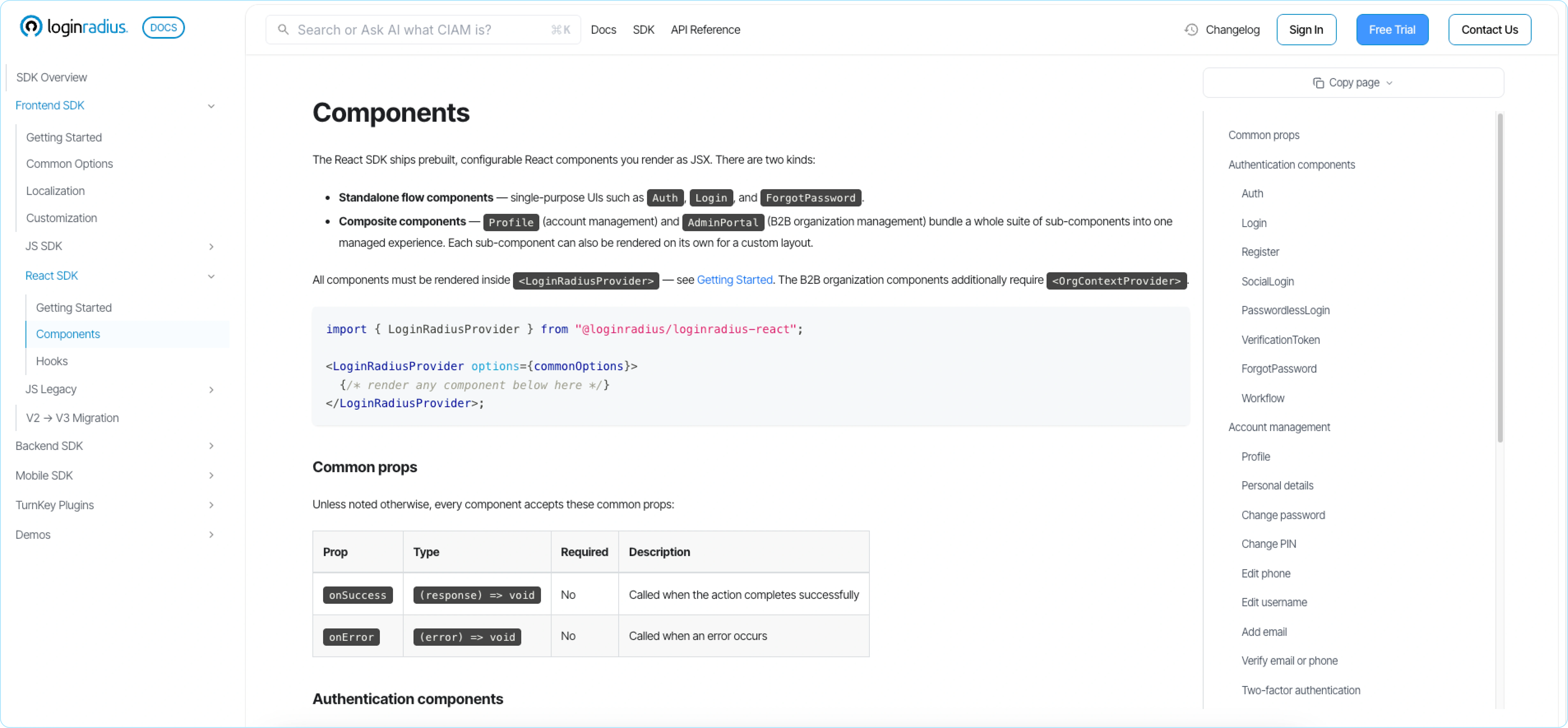
And when you do want a single-purpose surface, the same SDK gives you Login />, Register />, ForgotPassword />, and PasswordlessLogin /> as standalone components — same model, narrower scope. The Auth Component is the orchestrated default; the rest are there when you want to compose the layout yourself.
Why Teams Prefer LoginRadius AuthWidget
Faster integration
The tedious authentication plumbing that used to destroy engineering sprints evaporates into a single provider and a component. By offloading your user lifecycle management to a pre-built state machine, you don't have to maintain separate custom components for every edge case. In simpler terms, you're not building ten screens, a state machine, and an error-mapping layer. The time you'd have spent on authentication plumbing goes to your product instead.
Consistent user experience
Because every journey flows through one orchestrator, users get one coherent experience. Sign-in, MFA, and password reset share the same layout, the same validation behavior, the same error presentation. There's no drift between the screen one engineer built in Q1 and the one another engineer bolted on in Q3.
Security
This is the argument that matters most. Authentication is the highest-stakes code in your application, and the Auth Component centralizes it. The flow logic — token handling, social-login callback validation, MFA branching, session management — lives in one audited, maintained implementation rather than scattered across screens your team wrote under deadline.
The social-login flow, for instance, accepts the returned token only from the LoginRadius domain (or your configured custom domain) and validates it before use, so a token can't be injected from another origin. That's the kind of detail that's easy to miss when you roll your own and expensive to miss in production.
Centralization also means improvements arrive without archaeology. When the platform hardens a flow, you inherit it by updating a dependency — not by re-auditing code you half-remember writing.
Maintainability
Less custom code is less code to test, less code to break, and less code to keep correct as requirements shift. The branching that would have been your fragile state machine is the component's responsibility. Your repository stays focused on your domain.
Scalability
New authentication capabilities turn on through configuration, not UI rewrites. Enable passkeys in the Dashboard and the component starts offering them. Switch MFA from optional to required and the login journey grows the branch on its own. Add a social provider and it appears. You're scaling authentication features without rebuilding screens — which is the entire reason to treat the journey as configuration in the first place.
Developer Experience
Step back from the feature list and look at what changes for the person writing the code.
- Faster onboarding - A new engineer doesn't have to learn your bespoke auth state machine, because there isn't one. They read state with a single hook:
1import { useLRAuth } from "@loginradius/loginradius-react";
2function App() {
3const { isAuthenticated, accessToken, getUser, logout } = useLRAuth();
4if (!isAuthenticated) return <Auth />;
5return <Dashboard />;
6}
isAuthenticated gates your routes. accessToken goes in your Authorization header. getUser() fetches the profile. logout() ends the session. The mental model fits in a paragraph.
-
**Lower maintenance burden -**The code most likely to harbor a security bug — flow transitions, token handling, validation — isn't in your repo to maintain. When the platform improves a flow or patches an edge case, you get it through a version bump.
-
Consistent implementation patterns - Every flow uses the same onSuccess / onError contract. Customization is configuration, not forked components: theme through the Dashboard template editor and CSS variables, translate by passing a localizationConfig with only the keys you want to override, tune validation timing with formValidationMode: 'onBlur' | 'onChange'. There's one way to do each of these, and it's the same across every flow.
Focus on business logic instead of authentication plumbing. This is the real return. The hours that would have gone into the third revision of a password-reset screen go into the thing your users actually showed up for. Authentication becomes a dependency you configure, not a subsystem you own.
Conclusion
Authentication grew up. It's no longer a login page — it's a dozen interdependent flows, a state machine, a security surface, and a localization and theming problem, all at once. Treating that as something every team rebuilds from raw APIs, for every application, is how "add login" quietly becomes a quarter of engineering time and a permanent maintenance liability.
AuthWidget shifts this approach by handling these flows as a single component, rather than a set of separate pieces.
For developers, this means spending less time managing the connections between different parts of the authentication flow, and more time focusing on what actually needs to be customized.
If you're using the LoginRadius React SDK, AuthWidget is available as part of it. Want to see the AuthWidget in action? Book a quick technical demo with our team today!


