Introduction
Two-factor authentication (2FA) has become the baseline for online security. Banks, SaaS platforms, consumer apps, and even social networks rely on it to stop unauthorized access. But as 2FA adoption has grown, attackers have adapted just as quickly, turning second-factor protections into new attack surfaces instead of barriers.
The truth is simple: 2FA isn’t unbreakable. Most 2FA failures today don’t come from flaws in the technology; they come from attackers exploiting human behavior, predictable authentication flows, and weak second factors like SMS or basic push notifications.
Modern hackers no longer need sophisticated malware to bypass authentication. They rely on social engineering, real-time phishing kits, SIM-swap fraud, OTP interception, push fatigue attacks, and device-layer manipulation to trick users and subvert 2FA systems that were once considered secure.
That’s why understanding 2FA attacks is now essential. These two factor authentication attacks expose real authentication vulnerabilities and MFA vulnerabilities in otherwise “secure” login systems, especially when teams treat 2FA as a checkbox instead of an evolving control.
This blog breaks down the most common 2FA attacks, explains why they work, and most importantly shares how to prevent them using modern, phishing-resistant, adaptive MFA strategies.
Why 2FA Is Targeted: The Modern Threat Landscape
Attackers go after 2FA for one reason: it’s the last barrier standing between them and full account access. As passwords have become easier to steal and reuse, 2FA has turned into the single point of failure, and attackers now design their playbooks around exploiting it.
A lot of teams still ask: does two factor authentication prevent hacking? It prevents many basic takeovers, but it does not eliminate risk because attackers don’t “break 2FA,” they exploit the attack vectors around it: humans, devices, telecom networks, and session handling. Strong two factor authentication security depends on removing these weak links.
Modern 2FA attacks succeed because:
1. Authentication flows are predictable
Most systems use the same pattern: Password → 2FA prompt → Access
Attackers know exactly where the weak spots are.
2. Human behavior is easy to manipulate
Stress, confusion, or urgency can lead to quick mistakes. Attackers capitalize on this psychology, not technical flaws.
3. 2FA factors vary dramatically in strength
-
SMS is easy to intercept
-
Push MFA can be spammed
-
OTPs can be phished in real time
-
Session cookies can be hijacked post-2FA
4. Tools to bypass 2FA are widely available
Phishing kits, AitM proxies, SIM-swap services, and MFA spam scripts are now sold on the dark web as ready-to-use packages.
Also read : A Complete Guide to 2FA Authentication
7 Most Common 2FA Attacks
2FA can fail in more ways than most organizations expect. Below are the most common and most effective 2FA attack techniques used by real attackers today.
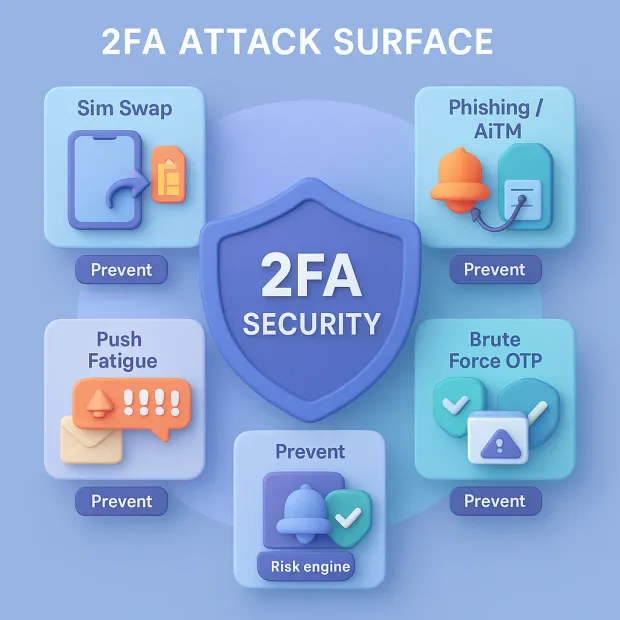
1. Phishing & Real-Time MFA Interception (AitM Attacks)
Attackers use adversary-in-the-middle (AitM) phishing tools to intercept both the password and the OTP or push approval in real time. Modern phishing kits automate the entire process, making TOTP and push MFA surprisingly easy to bypass.
This is the moment most teams ask: how can 2fa protect users from phishing attacks? The answer depends on the factor. OTP-based 2FA often fails against real-time phishing proxies, while phishing-resistant factors like passkeys and FIDO2/WebAuthn stop these phishing attack vectors by design.
2. MFA Fatigue Attacks (Push Bombing)
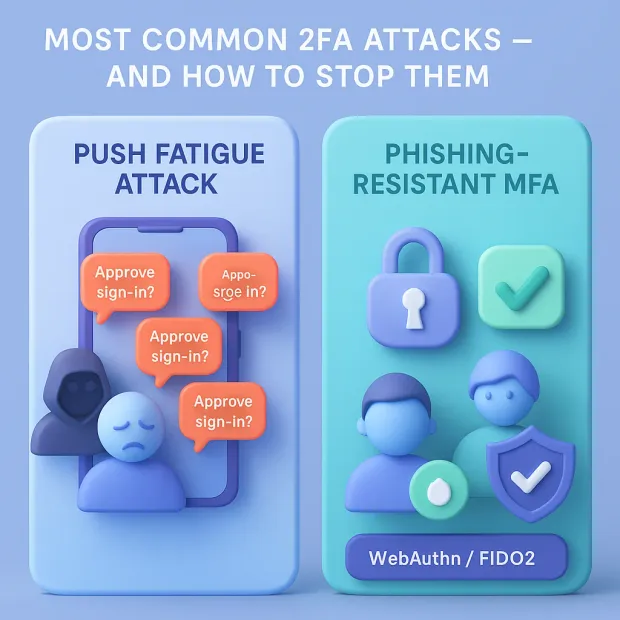
Attackers flood users with endless push notifications until they approve one out of frustration or confusion. Often paired with social engineering, this method targets human weakness not technical flaws.
This is also widely described as a multi factor authentication fatigue attack, and it remains one of the most common two factor authentication issues in push-based deployments that don’t enforce number matching or rate limits.
3. SIM Swap Attacks (Phone Number Hijacking)
Attackers convince mobile carriers to transfer a victim’s number to a new SIM card. Once they control the phone number, they can intercept SMS OTPs and reset accounts with ease.
4. SMS Interception & SS7 Network Exploits
SMS travels through outdated telecom networks vulnerable to interception. Attackers can reroute or duplicate OTP messages without the user ever knowing.
5. OTP & TOTP Code Theft via Malware
Malware can copy codes from authenticator apps, browser autofill, clipboards, or push notifications. Even “offline” authenticator apps aren’t immune when the device is compromised.
6. Social Engineering-Based 2FA Manipulation
Attackers impersonate IT, banks, or support teams to trick users into revealing TOTP codes or approving push requests. Humans, not systems, become the entry point.
7. Session Hijacking After Successful 2FA
Even after 2FA succeeds, attackers can steal session tokens or cookies using malware, browser-in-the-browser (BITB), or man-in-the-middle attacks, bypassing 2FA entirely.
Each of these attacks exploits a different weakness, technical, human, or systemic. Stopping them requires more than adding another factor.
Which 2FA Methods Are Most Vulnerable?
Not all 2FA methods offer equal protection. Some are extremely easy for attackers to exploit, while others are almost impossible to bypass. Here is a ranking of common 2FA methods from least secure to most secure.
1. SMS OTP (Weakest)
-
Highly vulnerable to SIM swaps
-
Interceptable via SS7 attacks
-
Easily phished
-
Should never be used as a primary factor
2. Email OTP
-
Slightly better than SMS
-
Still vulnerable if the email account is compromised
-
High friction + low assurance
3. Basic TOTP (Authenticator Apps)
-
Stronger than SMS
-
But still phishable in real-time attacks
-
Vulnerable if the device is compromised
4. Push MFA (Approve/Deny)
-
Convenient, but easily abused
-
Vulnerable to MFA fatigue/push bombing
-
Relies on human decision-making
5. Push MFA With Number Matching
-
Much safer than basic push MFA
-
Prevents blind approvals
-
Still phishable, but it significantly reduces abuse
6. Passkeys (Biometric or Device-Bound Authentication)
-
Strong, fast, and phishing-resistant
-
Removes OTPs and push prompts entirely
-
Ideal for customer-facing applications
7. FIDO2 Security Keys (Strongest)
-
Hardware-bound cryptographic authentication
-
Immune to phishing, fatigue attacks, SIM swaps, and OTP interception
-
Highest assurance level for CIAM and workforce accounts
In modern threat environments, passkeys and security keys outperform every other 2FA method, especially against phishing and fatigue attacks.
Learn more about Passkeys and how to integrate them in 5 Minutes.
Attack Lifecycles: How Hackers Bypass 2FA Step-by-Step
Most 2FA attacks follow a predictable lifecycle. Attackers don’t randomly guess; they use a repeatable strategy designed to exploit the weakest points in the authentication flow.
Step 1: Credential Harvesting
Attackers start by obtaining the user’s password through:
-
Phishing pages
-
Password reuse
-
Malware or keyloggers
Once they have valid credentials, they move directly to 2FA bypass.
Step 2: Triggering OTP, Push, or TOTP Challenges
Attackers intentionally initiate multiple login attempts to generate:
-
SMS OTPs
-
Authorization push notifications
-
Authenticator app codes
This sets the stage for interception or user manipulation.
Step 3: Intercepting or Extracting the 2FA Factor
Depending on the attack method, the second factor is obtained via:
-
Real-time AitM phishing
-
SIM swaps
-
OTP-stealing malware
-
MFA fatigue (push approvals)
-
Social engineering call scripts
This is the moment most 2FA breakdowns occur.
Step 4: Capturing the Session Token
Even if the 2FA challenge is successful, attackers can still hijack the session by stealing:
-
Cookies
-
JWT tokens
-
Browser sessions
Session hijacking bypasses 2FA entirely.
Step 5: Privilege Escalation & Account Access
With access granted, attackers:
-
Change passwords
-
Add new MFA devices
-
Steal data
-
Create persistent access
-
Escalate privileges
By the time the user realizes what happened, the attacker already owns the account.
This lifecycle highlights a critical truth: 2FA doesn’t fail at the factor; it fails at everything around it.
How to Prevent 2FA Attacks
Preventing 2FA attacks isn’t about “adding more steps.” It’s about replacing weak, human-dependent factors with modern authentication that attackers cannot phish, intercept, overwhelm, or socially engineer.
Below are the most effective ways organizations can harden their 2FA systems.
1. Adopt Phishing-Resistant MFA (Passkeys & FIDO2 Security Keys)
This is the strongest defense against every major 2FA attack vector.
Why it works:
-
No OTPs or push prompts to intercept
-
Cannot be phished or replayed
-
Tied to the physical device or biometric
-
Immune to SIM-swap, MFA fatigue, and AitM attacks
Passkeys and security keys eliminate entire categories of attacks instantly.
2. Enforce Number Matching for Push MFA
Push approvals alone are vulnerable to fatigue attacks. Number-matching forces the user to enter the code displayed on the login screen.
Benefits:
-
Blocks push bombing
-
Stops blind “Approve” taps
-
Removes human error from MFA flow
This is a mandatory control for all modern push MFA deployments.
3. Replace SMS 2FA With More Secure Alternatives
SMS OTP is the weakest 2FA method.
Move users to TOTP, push + number matching, or passkeys.
Why:
-
SMS is easily intercepted
-
SIM swaps are rising
-
SS7 networks are insecure
-
Attackers can reroute text messages
Use SMS only as a fallback not a primary factor.
4. Use Adaptive MFA With Risk-Based Scoring
Adaptive MFA evaluates login context before triggering 2FA.
Risk engine inputs:
-
Device reputation
-
Location anomalies
-
IP and network risk
-
Behavioral patterns
-
Impossible travel
-
Session history
Result: Low-risk logins skip MFA. High-risk logins get a step-up challenge.
This removes unnecessary prompts while strengthening security.
5. Implement Device Binding & Trusted Devices
Device binding ties authentication to a verified device. This reduces the attack surface and minimizes fatigue.
Benefits:
-
Less friction for users
-
Fewer push/OTP prompts
-
Harder for attackers to spoof login attempts
A bound device is much harder to impersonate.
6. Add Behavioral Biometrics & Continuous Monitoring
Even after login, the system should verify identity continuously.
Signals include:
-
Keystroke patterns
-
Mouse movements
-
Touch pressure
-
Device/browser fingerprint
-
Session behavior anomalies
This prevents session hijacking and post-authentication attacks.
7. Educate Users on Common 2FA Attack Patterns
Even simple training helps users recognize:
-
Unexpected pushes
-
Fake IT calls
-
Phishing pages
-
Real-time OTP scams
Awareness closes the psychological gap that attackers exploit.
8. Monitor & Alert on MFA Abuse Patterns
Your CIAM system should detect and respond to:
-
Excessive OTP requests
-
Failed attempts
-
Unusual devices
-
Repeated push notifications
-
Suspicious timing patterns
Automated alerting shortens detection-to-response time.
9. Protect Sessions With Token Binding & Secure Cookies
This prevents attackers from hijacking valid sessions after a successful 2FA event.
Why it matters: Many 2FA bypasses happen after authentication, through stolen cookies or tokens.
These controls harden two factor authentication security by closing authentication vulnerabilities beyond the second factor itself especially the session and device layers where attackers increasingly focus.
With these strategies, 2FA becomes significantly harder to bypass—and far more resilient against real-world threats.
2FA Methods vs Attack Resistance
A simple breakdown showing how each 2FA method performs against the most common attack vectors.
2FA Attack Resistance Matrix
| 2FA Method | Phishing Resistance | MFA Fatigue Resistance | SIM Swap Resistance | Malware Resistance | Man-in-the-Middle (AitM) Protection | Overall Strength |
|---|---|---|---|---|---|---|
| SMS OTP | Very Low | Moderate | Very Low | Low | Very Low | Weakest |
| Email OTP | Low | Moderate | Medium | Low | Low | Weak |
| TOTP (Authenticator App) | Low | High | High | Medium | Low | Moderate |
| Push MFA (Approve/Deny) | Low | Low | High | Medium | Low | Moderate |
| Push With Number Matching | Medium | High | High | Medium | Low | Strong |
| Passkeys (Biometric/WebAuthn) | Very High | Very High | Very High | High | Very High | Excellent |
| FIDO2 Security Keys | Very High | Very High | Very High | High | Very High | Strongest |
This matrix gives users, both beginners and experts, a quick, trustworthy view of which factors withstand real-world attack patterns.
Best 2FA Recommendations by Use Case
You don’t need the same 2FA strength everywhere. The right method depends on who you’re protecting and what they can access.
1. SaaS Customer Accounts & Consumer Apps
Goal: Strong security with as little friction as possible.
Recommended stack:
-
Primary: Passkeys (biometric or device-based WebAuthn)
-
Secondary: Push MFA with number matching
-
Fallback: TOTP authenticator app
-
Recovery only: SMS or email OTP
This gives you a phishing-resistant login for most users while still supporting legacy devices and recovery flows.
2. Admin, Root, and High-Privilege Accounts
Goal: Maximum protection, even at the cost of extra steps.
Recommended stack:
-
Mandatory: FIDO2 security keys
-
Backup: Passkeys on trusted devices
-
Emergency: TOTP with strict policies (short TTL, minimal reuse)
No SMS, no basic push MFA. Privileged accounts should only use phishing-resistant MFA.
3. Financial, Healthcare, and High-Risk Transactions
Goal: Regulatory-grade security + fraud resistance.
Recommended stack:
-
Primary login: Passkeys or security keys
-
Step-up MFA: Security key / passkey for:
-
Large payments
-
PII access
-
Sensitive changes (email, phone, MFA reset)
-
-
Adaptive checks: Device, IP reputation, geo, behavioral risk
Here, weak 2FA methods like SMS should be avoided entirely for core flows.
4. Workforce & Internal Business Applications
Goal: Balance productivity with strong security.
Recommended stack:
-
SSO (SAML/OIDC) + MFA:
-
Security keys or passkeys for admins and IT
-
Push with number matching for general employees
-
-
Fallback: TOTP for edge cases and travel scenarios
This keeps the workforce experience smooth while hardening high-risk identities.
5. Developer, DevOps, and Cloud Console Access
Goal: Protect the systems that power everything else.
Recommended stack:
-
Primary: FIDO2 keys for cloud consoles, CI/CD, dashboards
-
Backup: Passkeys on locked-down devices
-
Fallback: TOTP for CLI and emergency access only
Compromised developer access often leads to full-environment compromise so this should be treated like financial-grade authentication.
How LoginRadius Prevents CIAM-Grade 2FA Attack
From a CIAM standpoint, preventing 2FA attacks isn’t just about adding factors it’s about building a risk-aware, phishing-resistant authentication foundation that adapts to user behavior, blocks malicious patterns, and ensures frictionless access at scale.
LoginRadius approaches the problem from three strategic angles: stronger factors, smarter decisions, and safer experiences.
1. Stronger 2FA Methods by Default (Passkeys, FIDO2, and Number-Matching Push)
LoginRadius prioritizes modern, phishing-resistant factors that eliminate entire categories of attacks:
-
Passkeys (WebAuthn) for seamless biometric or device-based authentication
-
FIDO2 Security Keys for high-assurance accounts
-
Push with number matching to eliminate MFA fatigue attacks
-
TOTP as a secure fallback
Weak methods like SMS OTP are supported only as recovery paths, not as recommended primary factors. This ensures every CIAM deployment starts from a stronger default security posture.
Learn More : How LoginRadius Delivers Accessible MFA Experience for End Users
2. Adaptive MFA With Risk Scoring to Stop Attacks Before They Begin
Most 2FA attacks exploit predictable flows, but LoginRadius adds contextual intelligence that attackers cannot bypass.
Our adaptive MFA analyzes:
-
Device fingerprinting
-
IP reputation & TOR/VPN detection
-
Geo-velocity (“impossible travel”)
-
Behavioral biometrics & interaction patterns
-
Network anomalies
-
Repeated or suspicious push/OTP requests.
High-risk logins get step-up MFA. Suspicious patterns get blocked outright. Low-risk logins proceed seamlessly.
This eliminates brute-force MFA abuse, fatigue attacks, and AitM flows at scale.
3. Real-Time MFA Abuse Detection (Push Bombing & OTP Flooding Protection)
LoginRadius automatically detects:
-
Excessive OTP requests
-
Repeated push notifications
-
Push attempts outside normal user patterns
-
High-volume login attempts
-
Strange timing bursts (bot-like behavior)
Once detected, LoginRadius applies automated defenses:
-
Immediate throttling
-
Silent blocking
-
Step up to stronger MFA
-
Forced number-matching
-
Logging + alerting
This turns MFA fatigue from a vulnerability into a fully mitigated threat.
4. Secure CIAM Infrastructure Across Regions
LoginRadius strengthens MFA not only at the user level, but also at the platform level:
-
Stateless microservices for reliability
-
Geo-distributed identity zones for global uptime
-
Multi-region failover so MFA continues even during outages
-
Encrypted, tamper-proof device binding
-
Secure session management to stop token hijacking
Attackers can’t exploit downtime or infrastructure weaknesses because the CIAM foundation is hardened.
5. Smooth Developer Integration + Policy Controls
Developers can enforce secure MFA policies with:
-
Prebuilt UI components (hosted pages & SDKs)
-
Fine-grained MFA rules per app, region, or customer segment
-
Policy-based enforcement for passkeys, push, or TOTP
-
Web, iOS, Android, and API-based integration
This makes secure MFA deployment effortless, avoiding the common misconfiguration issues that lead to 2FA breaches.
6. Customer Experience That Prevents MFA Fatigue
LoginRadius ensures security doesn’t come at the cost of user frustration:
-
Silent risk checks reduce unnecessary prompts
-
Trusted devices minimize friction
-
Passkeys remove OTP flows entirely
-
Adaptive policies eliminate repeated MFA during low-risk activity
This is essential for conversion-sensitive consumer experiences and high-volume SaaS logins.
What It Means for Organizations
With LoginRadius, businesses get a CIAM platform that:
-
Stops MFA attacks proactively
-
Uses modern, phishing-resistant factors
-
Reduces user friction and fatigue
-
Detects and blocks attacker behavior in real time
-
Scales securely across global regions
-
Supports both legacy fallback and future-ready authentication
This is the difference between simply “adding 2FA” and deploying CIAM-grade authentication security that attackers cannot exploit.
Conclusion
Two-factor authentication remains one of the most effective ways to reduce account takeovers, but it is far from foolproof. Attackers have evolved. They now exploit human behavior, predictable OTP flows, weak SMS delivery channels, real-time phishing proxies, MFA spam, and inconsistent implementations.
The reality: You can’t rely on traditional 2FA alone. You need stronger factors, adaptive intelligence, and platform-level protection that reacts as fast as attackers move.
A CIAM-first approach like the one LoginRadius provides shifts 2FA from a static checkpoint into a dynamic security layer powered by risk, context, and modern authentication standards such as WebAuthn, passkeys, and FIDO2.
So, does two factor authentication prevent hacking? It prevents many common compromises—but only when you address the broader two factor authentication issues: attack vectors like phishing proxies, session hijacking, push abuse, and device compromise. That’s where modern two factor authentication security makes the difference.
If you're ready to build authentication that attackers can’t bypass and users don’t hate to use, LoginRadius can help you deploy modern, adaptive, and phishing-resistant MFA across your entire customer base.
Book a demo with our identity experts to learn more about our CIAM platform.
FAQs
Q: What are 2FA attacks?
A: 2FA attacks are techniques where attackers bypass or exploit two-factor authentication using methods like phishing, SIM swaps, push bombing, or AitM proxies. They target weaknesses in OTP delivery, user behavior, or session handling.
Q: How do attackers bypass 2FA?
A: Hackers use real-time phishing kits, MFA fatigue attacks, OTP interception, and social engineering to trick users into approving fraudulent requests. Advanced tools can even steal session cookies after 2FA succeeds.
Q: Which 2FA methods are most vulnerable?
A: SMS OTP and email OTP are easiest to compromise due to SIM swap risks, SS7 vulnerabilities, and interception. Basic TOTP can be phished, while push notifications are vulnerable to fatigue attacks.
Q: How can organizations prevent 2FA attacks?
A: Use phishing-resistant MFA such as passkeys, WebAuthn, and security keys. Add adaptive MFA, risk-based checks, push number-matching, device binding, and real-time abuse detection.
Q: Does adaptive MFA help stop 2FA attacks?
A: Yes, adaptive MFA evaluates device, IP, behavior, location, and anomalies to block suspicious logins before they reach the MFA step. It reduces fatigue attacks, bot attempts, and AitM flows.