Introduction
In today’s hyper-connected world, our digital lives are scattered across dozens of platforms-email, banking, social media, work tools, and more. Each of these requires access, and traditionally, that means relying on passwords.
But here’s the problem: passwords are increasingly vulnerable. They’re reused, forgotten, stolen, or cracked far too easily.
That’s where passkeys come in-a new, secure way to authenticate without relying on something you need to remember. Passkeys use cryptographic technology and biometrics to verify identity, making logins both safer and smoother.
Still, security isn’t just about choosing one method over another. It’s about combining the best tools, like using passkeys alongside password managers, to protect your data without compromising convenience.
And with platforms like LoginRadius, implementing passkey authentication has become super simple. Businesses can seamlessly adopt this modern login method, offering users both top-tier security and a frictionless experience, without overhauling existing systems.
Curious how passkeys and password managers can reshape your login strategy? Let’s break it down and explore why this powerful duo is the future of digital security.
What are Passkeys and Passwords?
To understand how digital security is evolving, we need to start with the fundamentals. What exactly are passwords and passkeys, and how do they differ?
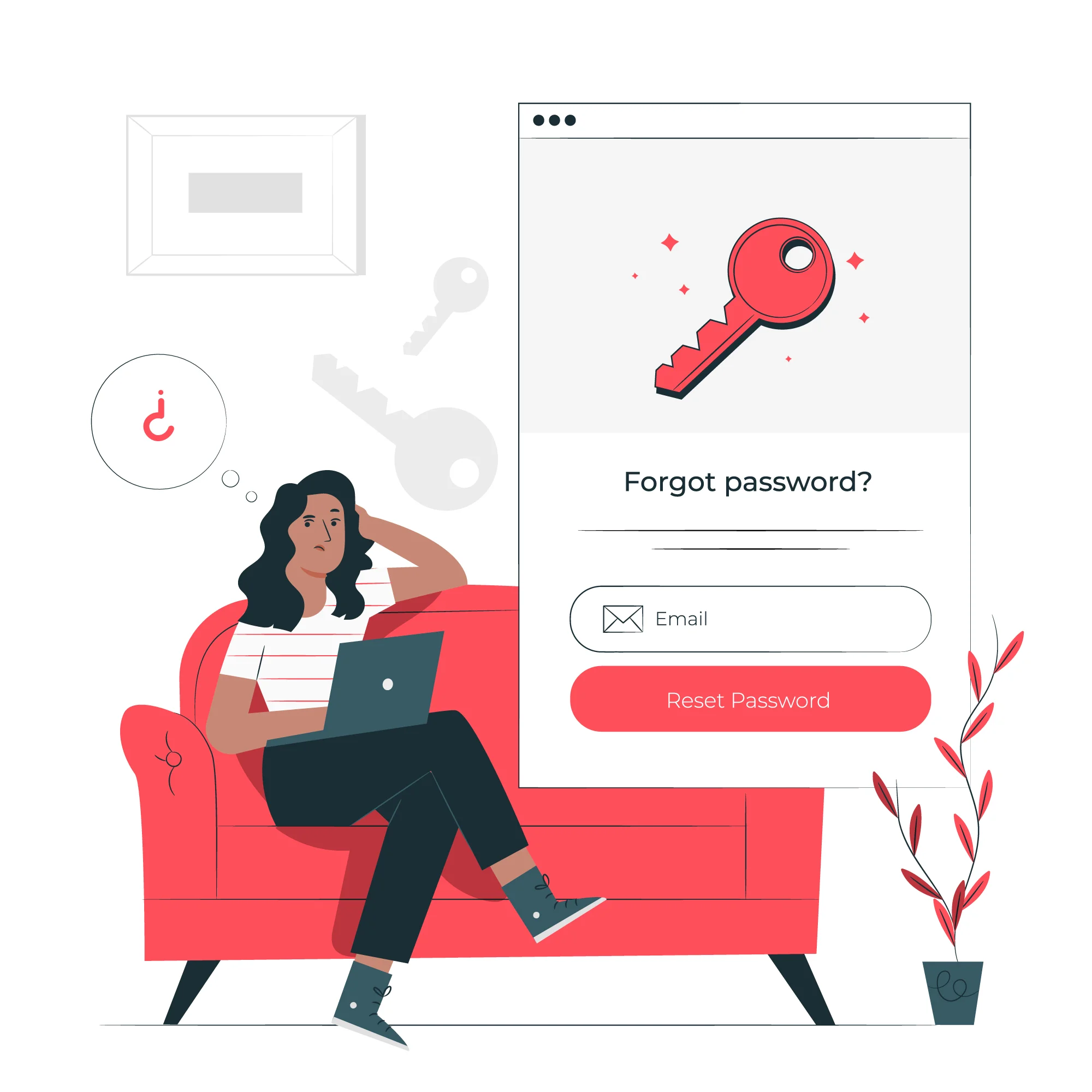
What are Passwords, and why are they Risky?
Passwords are the traditional method of securing digital accounts. They are user-created strings made up of letters, numbers, and symbols. Despite being the most common authentication method, passwords come with serious security flaws:
-
Reused Across Accounts: Many users recycle the same password for multiple sites. This means that if one account is breached, all connected accounts are at risk.
-
Too Simple or Predictable: Common choices like “123456” or “password” are still widely used, making brute-force attacks easy for hackers.
-
Vulnerable to Phishing: Cybercriminals often trick users into revealing passwords through fake websites or scam emails, leading to stolen identities and unauthorized access.
In short, while passwords are familiar and easy to implement, they are no longer enough to keep today’s digital identities safe on their own. If your business still relies on them, make sure you’re setting strong requirements - here’s how to choose a password that actually protects your customers.
What are Passkeys?
Passkey authentication is a secure, passwordless login method that uses cryptographic key pairs instead of traditional passwords. Based on FIDO2 and WebAuthn standards, it protects against phishing and data breaches by storing private keys safely on a user's device rather than on servers. Even if a server is compromised, user credentials remain secure.
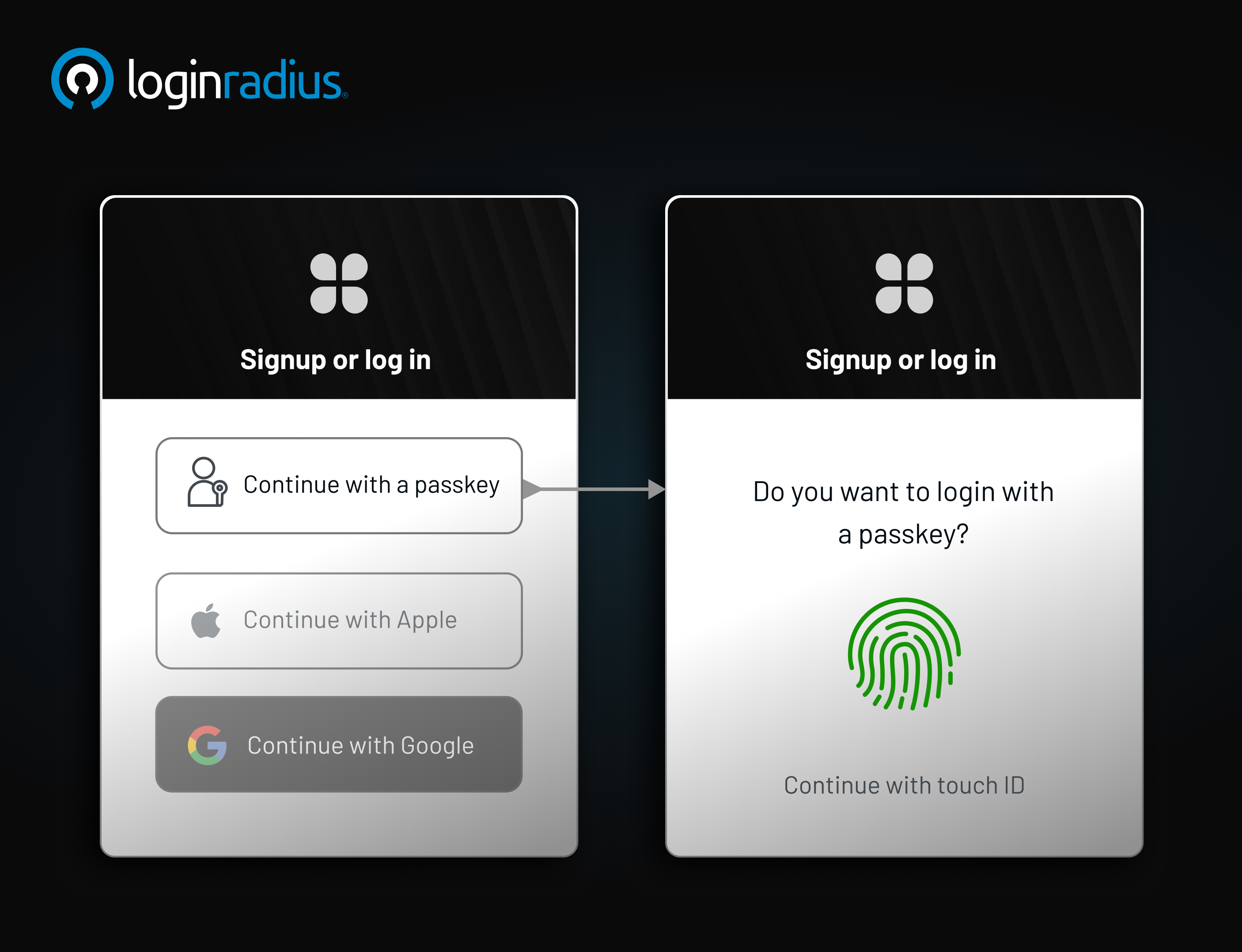
Passkeys represent a modern, secure method of authentication. They utilize public-key cryptography, eliminating the need for traditional passwords. Here's how they function:
-
Public-Private Key Pair: When you register on a platform, a key pair is generated. The public key is stored on the server, while the private key remains on your device.
-
Authentication: To log in, your device uses the private key to sign a challenge from the server. This process confirms your identity without transmitting sensitive information.
-
Biometric Integration: Passkeys often leverage device biometrics, such as fingerprints or facial recognition, for added security.
This method ensures that even if a server is compromised, your private key-and thus your identity-remains secure.
Passkey and Password Comparison
To understand the difference between passkey and password, let's compare them across various parameters:
| Feature | Passwords | Passkeys |
|---|---|---|
| Security | Vulnerable to phishing and brute-force | Resistant to phishing; utilizes cryptography |
| User Experience | Requires memorization and updates | Seamless; often uses biometrics |
| Storage | Stored on servers; prone to breaches | Stored locally; private key never leaves device |
| Compatibility | Universally accepted | Growing adoption; supported by major platforms |
While passwords are universally recognized, their vulnerabilities make passkeys a more secure alternative. Need detailed information about how passkeys are revolutionizing user authentication? Download our insightful data sheet:
Do You Need a Password Manager with Passkeys?
Absolutely. Even as the world shifts toward passwordless authentication, password managers remain a critical tool - perhaps more than ever. While passkeys offer a highly secure and user-friendly way to log in, managing them efficiently across multiple devices, platforms, and accounts can quickly become a challenge. That’s where password managers play a vital role.
Centralized Credential Management
Password managers act as a single, secure vault for all your digital credentials—including traditional passwords and modern passkeys. As websites and apps begin to support passkey authentication, these tools allow you to store and organize your login information in one place. This eliminates the confusion of remembering which sites use passwords and which use passkeys.
For example, suppose you use a passkey to log in to your banking app and a password for your workplace portal. A password manager can store both credentials securely and autofill them as needed, streamlining your daily logins without compromising security.
Seamless Cross-Device Sync
One of the key advantages of using a password manager is device-agnostic synchronization. Passkeys are typically tied to the device on which they are created—your phone, laptop, or tablet. But what if you want to log in on another device?
Password managers solve this by syncing your passkeys securely across all your devices. Whether you're switching from your iPhone to your work laptop or logging in on a tablet while traveling, your passkey stays with you, encrypted and ready to use.
Smooth Transition to Passwordless
Adopting passkeys doesn’t mean abandoning passwords overnight. During the transition, you’ll likely have a mix of both. Password managers ease this process by supporting hybrid environments. You can continue to use and store passwords for legacy systems while gradually enabling passkeys for apps and services that support them.
Think of it as having a foot in both worlds—traditional and modern—without the friction of managing them separately.
Built-In Security and Recovery
Many password managers offer multi-factor authentication, secure cloud backups, and even biometric access, making them an ideal match for passkey storage. If your device is lost or stolen, you can recover your vault and all stored passkeys from another authorized device, maintaining both security and continuity.
How Do Passkeys Work? How to Implement Passkeys
Passkeys offer a secure, passwordless authentication method by leveraging public-key cryptography. They are designed to replace traditional passwords, enhancing security and user experience. Here's a step-by-step breakdown of how passkeys function:
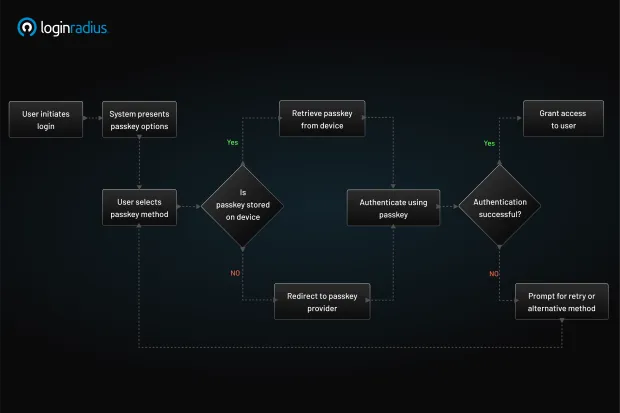
1. Registration
-
Initiation: When a user opts to register on a platform supporting passkeys, the device (such as a smartphone or computer) initiates the creation of a passkey.
-
Key Pair Generation: The device generates a unique cryptographic key pair: a private key and a public key.
-
Secure Storage: The private key is securely stored on the user's device, often within a secure enclave or trusted platform module (TPM).
-
Public Key Transmission: The public key is sent to the server and associated with the user's account.
2. Authentication
-
Challenge Issuance: When the user attempts to log in, the server issues a cryptographic challenge.
-
User Verification: The user's device prompts for verification, typically through biometrics (like fingerprint or facial recognition) or a PIN.
-
Challenge Signing: Upon successful verification, the device uses the private key to sign the challenge.
-
Response Transmission: The signed challenge is sent back to the server.
-
Verification: The server uses the stored public key to verify the signature. If the verification is successful, access is granted.
3. Security Advantages
-
Phishing Resistance: Since the private key never leaves the user's device and is never shared, passkeys are inherently resistant to phishing attacks.
-
No Shared Secrets: Unlike passwords, which are shared secrets, passkeys eliminate the need to store sensitive information on servers, reducing the risk of data breaches.
-
User Convenience: Passkeys streamline the login process, allowing users to authenticate using familiar methods like biometrics or device PINs, without the need to remember complex passwords.passkeycentral.org
4. Example Scenario
Consider a user registering on a banking app that supports passkeys:
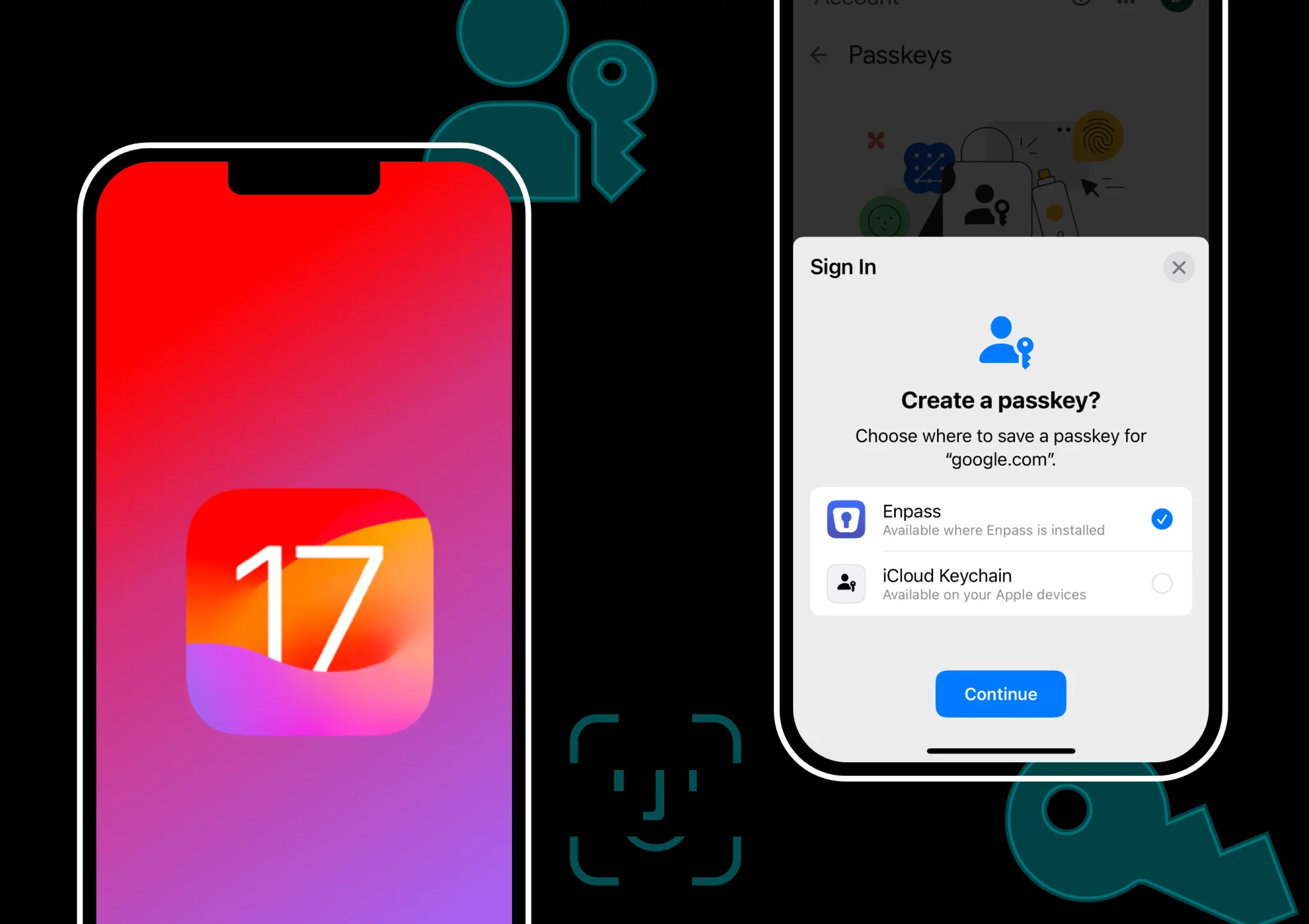
- During registration, the app prompts the user to create a passkey.
-
The user's device generates a key pair, storing the private key securely and sending the public key to the bank's server.
-
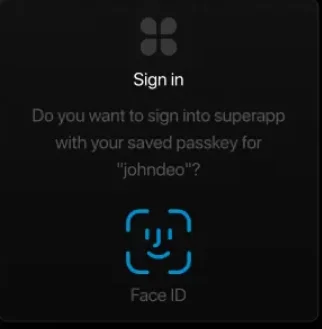
Later, when logging in, the user is prompted to authenticate using their fingerprint/facial recognition.
-
The device signs the server's challenge with the private key and sends it back.
-
The bank's server verifies the signature using the public key and grants access.
5. Integration with LoginRadius
LoginRadius offers comprehensive support for passkey authentication, aligning with FIDO2 and WebAuthn standards. Our platform enables businesses to implement passkey-based login flows, enhancing security and user experience. Key features include:
-
Seamless Integration: Developers can easily integrate passkey authentication into their applications using LoginRadius APIs.
-
Cross-Platform Support: LoginRadius ensures compatibility across various devices and platforms, facilitating a consistent user experience.
-
Enhanced Security: By eliminating the need for passwords, LoginRadius reduces the attack surface for potential breaches.
Here’s how easy it is to integrate LoginRadius Passkeys from the LoginRadius Console:
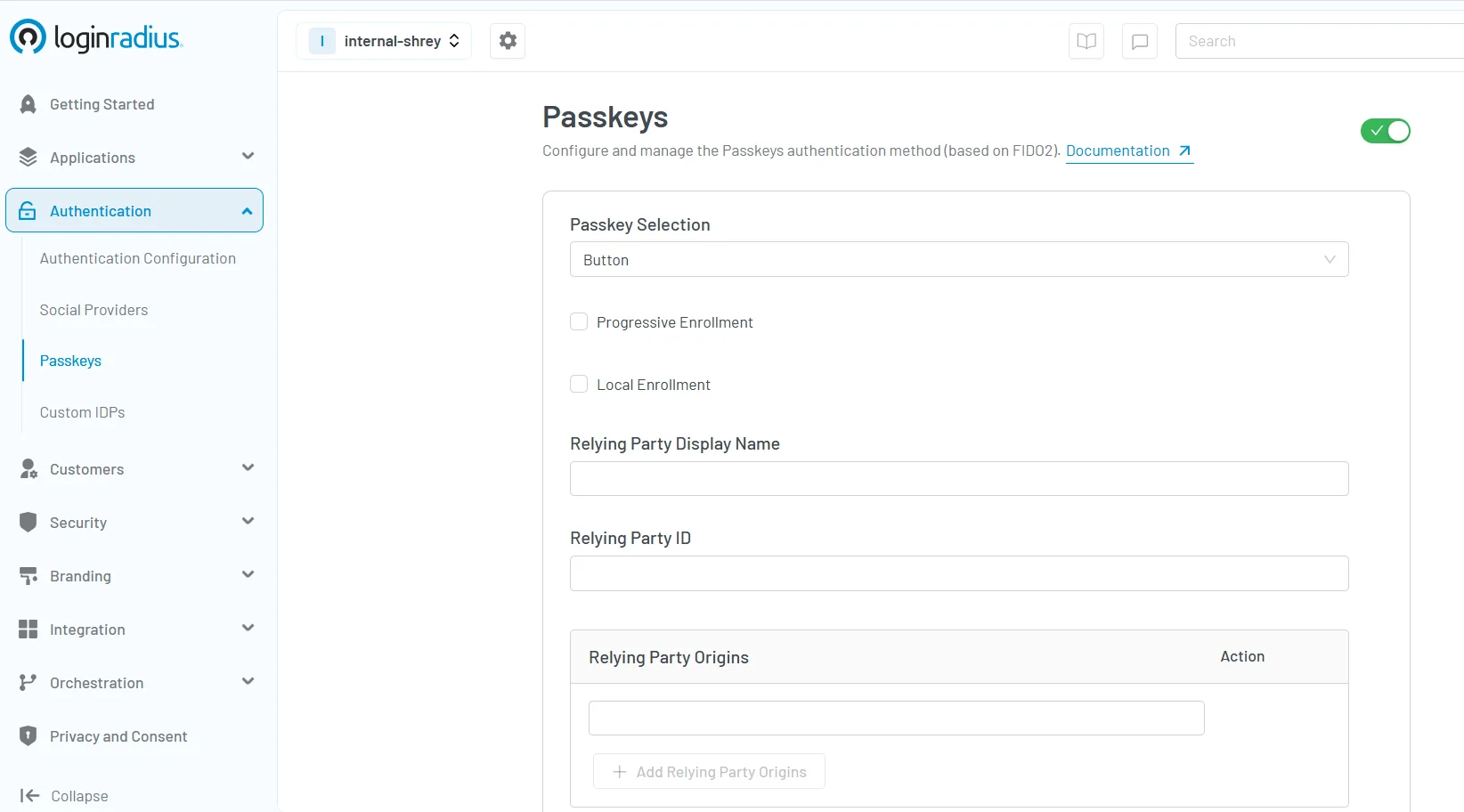
For more detailed information on implementing passkeys with LoginRadius, refer to our Passkeys Documentation.
Can Passkeys Be Hacked?
A common concern is: can passkeys be hacked? While no system is entirely impervious, passkeys offer enhanced security features, including but not limited to:
-
Phishing Resistance: Since passkeys are often used as a factor for phishing-resistant MFA and are domain-specific, phishing sites cannot replicate the necessary credentials.
-
No Server-Side Storage: With private keys stored locally, server breaches don't compromise user credentials.
-
Biometric Security: Accessing the private key often requires biometric verification, adding an extra layer of protection.
However, if a device is lost or compromised and lacks proper security measures, there's a potential risk. Hence, implementing robust passkey management practices is essential.
Types of Security Keys
Exploring the types of security keys provides insight into additional authentication methods:
-
USB Security Keys: Physical devices that connect via USB ports, offering hardware-based authentication.
-
NFC/Bluetooth Keys: Wireless keys that communicate with devices using Near Field Communication or Bluetooth.
-
Biometric Keys: Devices that incorporate fingerprint or facial recognition for authentication.
These keys often complement passkeys, providing multi-factor authentication for enhanced security.
Passkey Management Best Practices
Effective passkey management ensures optimal security:
-
Regular Backups: Maintain backups of your passkeys, especially when changing devices.
-
Device Security: Ensure devices storing passkeys are protected with strong passwords or biometric locks.
-
Use Trusted Password Managers: Opt for reputable password managers that support passkey integration.
Adhering to these practices minimizes risks associated with device loss or unauthorized access.
Benefits of Combining Password Managers and Passkeys
Integrating password managers with passkeys offers numerous advantages:
-
Streamlined Access: Manage all credentials—passwords and passkeys—in one centralized location.
-
Enhanced Security: Benefit from the combined security features of both methods.
-
Simplified Transition: Easily migrate from traditional passwords to passkeys without disrupting workflows.
This synergy ensures a balance between security and user convenience.
Summary
The evolution from passwords to passkeys signifies a major leap forward in digital security. While passwords have served us for decades, their limitations are becoming harder to ignore in today’s threat landscape. Passkeys offer a smarter, safer way to authenticate—especially when combined with the centralized control and convenience of a password manager.
Together, they create a powerful framework that balances user experience with uncompromising security.
Ready to modernize your login experience and protect your users with passkeys? Contact us to learn how LoginRadius can help you implement secure, passwordless authentication tailored to your business.
FAQs
1. What are Passkeys
Passkeys are a secure, passwordless authentication method that uses cryptographic key pairs to verify a user's identity. Unlike traditional passwords, passkeys eliminate the need to remember or type credentials. They work by generating a public and private key—where the public key is stored on the server and the private key remains safely on the user’s device.
During login, the device uses the private key to respond to a challenge from the server, often verified through biometrics like a fingerprint or facial recognition. Since the private key never leaves the device, passkeys are resistant to phishing, credential theft, and server breaches, making them a more secure and user-friendly alternative to passwords.
Supported by standards like FIDO2 and WebAuthn, passkeys are now widely adopted by platforms like Apple, Google, and LoginRadius for secure, seamless authentication.
2. Are passkeys safer than passwords?
Yes. Passkeys utilize cryptographic methods, making them resistant to phishing and brute-force attacks, unlike traditional passwords.
3. How do passkeys work with password managers?
Modern password managers support passkey storage, allowing users to manage and synchronize them across devices seamlessly.
4. Why are passkeys considered a strong security option?
Passkeys eliminate the need for server-stored credentials, reducing breach risks, and often incorporate biometric verification for added security.
5. What are the benefits of passkeys?
Passkeys offer enhanced security, resistance to common attack vectors, and a streamlined user experience by eliminating the need to remember complex passwords.