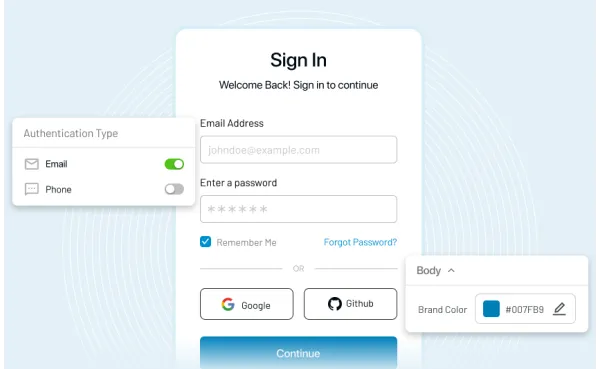
Passwordless Authentication Implementation: Rollout Guide

Learn how to implement passwordless authentication in enterprises with a step-by-step rollout plan, automation strategies, and CIAM best practices for scalable security.
First published: 2026-05-21      |      Last updated: 2026-05-21

Introduction

Passwordless authentication sounds simple. No passwords, resets, or phishing-prone login flows. Just faster access and stronger security. In enterprise environments, the story changes quickly.

A passwordless rollout is rarely just an authentication upgrade. It touches identity infrastructure, device trust, access policies, recovery flows, user onboarding, helpdesk operations, and the way teams manage authentication at scale. That is why many initiatives that look promising in strategy decks start slowing down the moment they hit legacy systems, mixed device environments, and real employee behavior.

Here’s where teams usually go wrong. They treat passwordless like a feature launch, when it is actually an operational change across CIAM, security, and IT workflows. A few users enroll successfully, the pilot looks clean, and then the harder questions show up.

Which passwordless authentication methods fit which user groups? How do you enforce phishing-resistant authentication without breaking access for contractors, admins, or remote teams? What happens when recovery, fallback, and policy orchestration are still dependent on manual steps?

A surprising pattern we’ve seen across enterprise authentication projects is this: the rollout itself is only half the challenge. The bigger issue is scale. If passwordless implementation depends on fragmented policies, disconnected provisioning flows, and too much manual oversight, the burden simply moves from passwords to operations. Different problem, but same friction.

That is why enterprise teams are cautious about the idea of going passwordless and worry more about how to implement passwordless authentication in a way that actually holds up in production.

They need a rollout plan that works across modern apps and older systems, supports passkeys for enterprise use cases, aligns with conditional access policies, and fits into a broader Zero Trust security model. They also need automation. Because once passwordless expands beyond a small pilot, manual identity workflows start becoming the real bottleneck.

This guide is built for that reality. It focuses on passwordless authentication implementation from an enterprise lens, with attention to operational scalability, developer productivity, and workflow integration.

From choosing the right passwordless authentication methods to planning rollout phases, enforcing policies, and automating identity workflows, here’s how it actually works when security and IAM teams need more than theory.

Why Most Passwordless Initiatives Fail in Enterprises

Passwordless authentication is supposed to simplify things. Fewer credentials, fewer attack vectors, smoother logins. And yet, many enterprise rollouts stall halfway or worse, quietly roll back. Not because the technology fails, but because their rollout strategy failed.

Here’s where teams usually go wrong. They approach passwordless authentication implementation like a UI upgrade. Swap passwords for passkeys, enable a new login method, and call it done. But the moment this hits real infrastructure: multiple identity providers, conditional access policies, unmanaged devices, or legacy apps the cracks show up fast.

It plays out the same way in a lot of enterprises: early pilots look great as it is a controlled group, with modern devices and a clean environment. Then the rollout expands. Suddenly, authentication methods that worked in isolation don’t behave the same across departments. Contractors can’t enroll. Admin accounts need stricter controls. Recovery flows become messy. And helpdesk tickets spike.

Another friction point is automation, or the lack of it. Without automated identity workflows, every exception becomes a manual task. Provisioning, policy updates, access recovery it all adds operational overhead. The system may be passwordless, but the process around it is NOT. That gap slows everything down.

Then there’s the assumption that all users and systems are ready. They’re not. Enterprise environments are a mix of old and new modern apps sitting next to legacy systems, managed devices alongside personal ones. Rolling out passwordless authentication without accounting for this diversity leads to inconsistent access experiences and security blind spots.

And let’s not ignore the security angle. Moving to phishing-resistant authentication is the goal, but partial implementations can create new risks. If fallback methods are weak or policies are inconsistently applied, attackers don’t need to break passwordless; they just go around it.

So no, passwordless adoption challenges aren’t about resistance to change. They’re about underestimating what “implementation” really means at scale.

The shift works but only when it’s treated as an IAM transformation, not just an authentication upgrade.

What Enterprise Passwordless Authentication Really Means

Real passwordless implementation depends on what sits behind experience: identity providers, device trust, enrollment flows, conditional access policies, recovery controls, and the ability to enforce different rules for different users.

The strongest passwordless systems do not rely on one factor alone in the old sense of “something fancy instead of a password.” They rely on bound credentials. A passkey, for example, is not just convenient.

It is tied to public-key cryptography, which means the server is not storing a reusable secret in the same way password-based systems do. That changes the attack surface in a meaningful way. Phishing becomes harder. Credential stuffing becomes less useful. Reset-heavy workflows start shrinking.

Although both passkeys and FIDO2 authentication are often mentioned together, they are not interchangeable terms. FIDO2 is the standard framework that enables passwordless and phishing-resistant authentication across devices and platforms.

Passkeys are one of the most visible user-facing implementations of that model. WebAuthn authentication plays a major role here too, because it provides the browser and platform interface that allows these credentials to work securely in web applications.

But enterprise passwordless is not only about standards. It is also about fit. Different user groups need different controls. Admins may require hardware-backed authenticators. Employees on managed laptops may use platform passkeys.

Contractors may need separate enrollment logic. Some common use cases include workforce access, privileged admin authentication, partner portals, and internal application access across hybrid environments.

That is why enterprise passwordless lives at the intersection of identity, device, and policy. Identity confirms who the user is. Device context helps determine whether the authentication request should be trusted. Policy decides what is allowed, under what conditions, and for which applications. Remove one of those pieces, and the model weakens.

So when we talk about passwordless authentication implementation, we are not talking about replacing a login box. We are talking about building an authentication system that can scale, reduce phishing risk, support operational control, and fit naturally into modern IAM architecture. That is the standard enterprises actually need.

Passwordless login interface showing sign-in options like passkeys, biometrics, and social login across multiple devices

Enterprise Passwordless Rollout Plan: Step-by-Step Implementation Guide

Step 1: Audit Your CIAM Stack Before You Implement Passwordless

Passwordless authentication doesn’t replace your CIAM stack. It sits on top of it, interacts with it, and depends on it. If the foundation is messy, the rollout inherits that mess. Before enabling anything new, you need a clear picture of what already exists.

Most teams skip this or rush through it. Then the rollout slows down later, usually when something breaks in production.

  1. Start with your identity layer. Which identity providers are in play? Is it a single system or a mix of SSO, federation, and legacy directories?
  • Map each and every part that powers the parts of authentication.

  • If MFA is already being used, identify how these interact with your application and ensure that passwordless can land evenly across.

  • Policies often exist, but they’re scattered. Conditional access policies might be defined for specific apps, user groups, or locations, but not centrally enforced. That creates gaps.

  • A passwordless rollout without aligned policies leads to unpredictable access behavior. One user gets a smooth passkey login. Another gets blocked because the policy chain doesn’t recognize the new method.

  1. Then comes device context. Are users on managed devices? Personal devices? A mix?
  • Device trust plays a big role in passwordless authentication, especially when you rely on FIDO2 authentication or platform authenticators. If device posture isn’t visible or enforced, you lose one of the biggest advantages of going passwordless.

This step is not glamorous. It doesn’t look impressive on a roadmap. But skipping it usually leads to rework, delays, and inconsistent user experiences later. Once the audit is clear, the rollout starts making sense.

Step 2: Define Your Passwordless Rollout Strategy and User Segmentation

Jumping straight from audit to full rollout is where things start to wobble. Not because the tech can’t handle it but because users, apps, and devices don’t behave the same way across an enterprise. So the next move is not deployment, it is definition.

Start with users. Not as one big group, but as segments that behave differently under authentication. Customers, admins, employees, contractors, and partners don’t just have different access levels, they have different risk profiles. Even inside customers, you might have differentiation on their overall risk profile (long-term customers vs new customers and so on).

Then comes application prioritization. Some apps are modern, support WebAuthn authentication cleanly, and work well with passkeys for enterprise use cases. Others depend on older authentication layers and may need federation or fallback handling. Rolling out passwordless authentication methods across everything at once sounds efficient. It usually isn’t.

Managed laptops, personal phones, shared workstations each introduces different levels of trust and compatibility. FIDO2 authentication, for example, works best when device posture is clear and enforced. Without that, consistency becomes hard to maintain.

Metrics matter too, but not the obvious ones. It’s not just about login success rates. Look at enrollment completion, authentication drop-offs, recovery requests, and support tickets. These signals tell you whether your passwordless implementation is actually working or just partially working.

A strong rollout strategy doesn’t try to eliminate friction completely. It places friction where it belongs. High-risk access, sensitive systems, and privileged users should have stricter policies. Lower-risk scenarios can stay smoother. That balance is what makes passwordless scalable.

Once that clarity is in place, the rollout stops being a guessing game and starts becoming a plan.

Step 3: Choose the Right Passwordless Authentication Methods

Passwordless authentication methods are not interchangeable. Each comes with different levels of security, usability, and device dependency. Choosing the right mix is less about preference and more about context who is logging in, from where, and to what.

Start with passkeys for enterprise use cases. They’re gaining traction for a reason. Backed by FIDO2 authentication and WebAuthn authentication standards, passkeys use public key cryptography instead of shared secrets. That means no reusable credentials sitting on servers.

Phishing attempts lose their usual entry point. For employees on modern devices, passkeys often offer the cleanest experience. But not every environment is ready for that alone.

The real decision is not “which method is best,” but “which method fits which user and risk level.” Admins might require hardware-backed authentication. Employees on managed devices can rely on passkeys. Customers may need flexible enrollment options with stricter policy checks behind the scenes. For a detailed comparison of different passwordless methods and to see which method to choose for your organization, please read this article.

Teams over-optimize for user convenience early, and then struggle to tighten controls later. It’s much easier to design with risk in mind from the beginning than to retrofit policies after rollout.

That mapping becomes the backbone of your passwordless authentication implementation.

Step 4: Prepare Infrastructure, Devices, and Access Policies

By now, you’ve audited your CIAM stack and chosen the right passwordless authentication method. But those methods won’t behave consistently unless the environment around them is ready. That means infrastructure, devices, and policies need to align before rollout begins.

Start with compatibility. Not every application, browser, or operating system handles passwordless flows the same way. WebAuthn authentication, for example, depends on modern browser support.

Passkeys for enterprise environments rely on OS-level capabilities. If even a small percentage of users are on outdated systems, you’ll start seeing inconsistent login experiences.

Then comes device trust. Passwordless authentication is strongest when the device itself becomes part of the trust model. Managed devices with clear posture signals, patched OS, enrolled in MDM, and compliant configurations make policy enforcement predictable.

Without that, even strong authentication methods like FIDO2 authentication lose context. You know who the user is, but not whether the device should be trusted. Conditional access policies do most of the heavy lifting here. They decide when authentication is allowed, when additional verification is needed, and when access should be blocked.

But in many environments, these policies evolve organically, with different rules for different apps, exceptions layered over time. When passwordless gets introduced into that mix, inconsistencies surface quickly.

Teams enable passwordless methods first and try to fix policies later. That usually leads to access issues that are hard to trace. Users get blocked in one app but not another. Recovery flows behave differently across systems. Support teams struggle to explain why.

And don’t overlook identity verification during enrollment. Passwordless reduces reliance on passwords, but it increases the importance of proving identity at the start. If enrollment isn’t secure, everything that follows becomes weaker.

This step is less about enabling features and more about removing friction before it appears. When infrastructure, devices, and policies are aligned, the rollout feels predictable. When they’re not, even small issues can scale quickly.

Step 5: Run a Controlled Pilot (Test Before You Scale)

A pilot is not just a smaller rollout. It’s where you deliberately stress your passwordless authentication implementation in a controlled environment before it hits the entire organization. Skip this, and the first real test happens at scale. That’s when things get expensive.

Start small, but not too small. A handful of users won’t expose much. Choose a pilot group that reflects real conditions: different roles, different devices, and different access patterns. Include at least one high-risk user group and one group with mixed device environments. This will unearth inconsistencies fast.

Enable your selected passwordless authentication methods and observe what actually happens. Not what the system is supposed to do. What it does when users try to enroll, authenticate, recover access, and switch devices.

Users who can’t complete setup because of device limitations, they might drop off. Authentication flows that work on one app but fail on another. Conditional access policies triggering in unexpected ways. None of this shows up in documentation. It shows up here.

Then comes the operational side. Support tickets start trickling in. Some are expected users unfamiliar with passkeys for enterprise setups or hardware keys. Others point to deeper issues: unclear recovery flows, inconsistent policy enforcement, or gaps in identity verification.

A surprising pattern we’ve seen: teams focus on login success but ignore recovery behavior. That’s risky. Weak recovery flows can quietly undermine phishing-resistant authentication without obvious signals.

This is also where automation starts proving its value. Even in a pilot, manual handling of exceptions, user provisioning, policy tweaks, and recovery requests adds up quickly. If automated identity workflows are not part of the design, you’ll feel the strain early.

The goal of the pilot is not perfection, it is to get clarity. You want to understand what breaks, what scales, and what needs adjustment before moving forward. Once the pilot stabilizes, scaling becomes a decision not a gamble.

Step 6: Expand Rollout in Phases (Without Overloading IT)

Scaling passwordless authentication isn’t just about enabling more users. It’s about doing it without breaking support systems, overloading policies, or creating inconsistent experiences across teams. A phased rollout solves that if it’s done with intent.

Start by grouping users into waves. Not randomly, but based on similar device types, application usage, access sensitivity. The challenge isn’t enabling access, it is maintaining consistency. As more users come in, small policy gaps start showing up more frequently. Conditional access policies that worked fine in a pilot can behave differently at scale, especially when new devices and edge cases enter the system.

Communication matters more than most teams expect. Not long documentation. Just clear, timely instructions. What changes, what users need to do, and where to go if something fails. Without that, even well-designed passwordless authentication methods can feel confusing during rollout.

Support load is another pressure point. Even a smooth rollout creates questions. Enrollment issues, device changes, and recovery requests increase as adoption grows. If those flows rely heavily on manual handling, the helpdesk becomes the bottleneck.

Rollout speed is often limited by operational readiness and not technology. Systems scale, but processes don’t unless they’re designed to. This is also where automation starts becoming less of an advantage and more of a requirement. Without automated identity workflows and policy orchestration, every new wave adds friction.

Phased rollout isn’t about slowing down. It’s about scaling in a way that stays predictable.

Step 7: Enforce Passwordless Authentication Without Breaking Access

Enforcement is when things get real. Up to this point, users may have had fallback options. Passwords still existed in the background. Now you’re asking the system and the users to rely on passwordless authentication as the primary path. That shift needs precision.

Start with conditional enforcement, not a hard cutover. Apply policies based on user groups, application sensitivity, and device trust. High-risk access can move to fully phishing-resistant authentication first. Lower-risk scenarios can follow once stability is proven. This staged enforcement reduces disruption without weakening security.

Removing passwords is not the same as removing risk. If fallback paths are weak, attackers don’t need to break FIDO2 authentication or passkeys; they look for the easiest alternative. That’s often account recovery.

Teams strengthen login flows but overlook recovery and exception handling. Shared support processes, insecure verification steps, or inconsistent policies across apps can quietly reintroduce the same risks passwordless was meant to eliminate.

Then comes monitoring. Not just success rates, but behavior. Are users switching to fallback more often than expected? Are certain apps triggering more failures? Are specific user groups struggling with enforcement? These signals tell you whether your passwordless authentication implementation is holding up or just partially enforced.

This is also where Zero Trust authentication starts becoming visible in practice. Access is no longer granted once and trusted forever. It’s evaluated continuously based on identity, device, and context.

Enforcement is not about flipping a switch. It’s about tightening the system without locking users out. Done right, users barely notice the transition. Done poorly, it shows up immediately in access failures, support tickets, and frustrated teams.

This step defines whether passwordless becomes the new normal or just another partially adopted feature.

Step 8: Automate Passwordless Authentication for Scale and Developer Productivity

In small environments, manual handling works. A few users, a few exceptions, manageable policies. At enterprise scale, that model collapses quickly. Every new user, device change, policy update, or recovery request adds overhead. Without automation, passwordless authentication starts creating the very friction it was meant to remove.

User provisioning, access changes, policy enforcement, and session monitoring if these rely on manual steps or disconnected tools, scalability suffers. That’s where automated identity workflows and IAM automation start becoming essential, not optional.

  • Start with identity workflows. When a user joins, changes roles, or leaves, access should update automatically. No delays. No manual approvals sitting in queues. Automated identity workflows ensure that passwordless authentication aligns with the user’s current state in real time.

  • Then comes policy orchestration. Conditional access policies should not exist in isolation across different apps. They need to work as a coordinated system responding to user context, device posture, and risk signals. Identity orchestration helps unify this logic so authentication decisions stay consistent, even as the environment grows.

  • Next layer: developer productivity. This often gets overlooked. If integrating passwordless authentication requires heavy customization or repeated configuration across systems, teams slow down. API-driven IAM automation changes that. Developers can integrate authentication flows, enforce policies, and manage identity events programmatically. Less manual setup. Fewer inconsistencies.

A surprising pattern we’ve seen: teams invest heavily in authentication methods but underinvest in integration. The result? Strong login security, but fragmented workflows behind the scenes.

Automation also strengthens security. Real-time monitoring, anomaly detection, and adaptive authentication reduce response time when something looks off. Instead of reacting after an incident, the system adjusts dynamically, tightening controls when risk increases.

At this stage, passwordless authentication is no longer just a login mechanism. It becomes part of a larger identity system, one that scales, adapts, and integrates across applications and environments.

Without automation, scaling passwordless feels like constant maintenance. With it, the system starts running the way it was intended.

Step 9: Monitor, Measure, and Continuously Optimize

Once passwordless is live, the work doesn’t slow down, it changes shape. The goal now is not to roll out. It’s stability, visibility, and improvement over time.

Start with the signals that actually matter. Login success rates are useful, but they don’t tell the full story. Look at enrollment completion, authentication drop-offs, recovery usage, and how often users fall back to alternative methods. These patterns reveal whether your passwordless authentication implementation is working consistently or just appearing to work.

Here’s where it gets interesting. Issues at this stage are rarely obvious. A small percentage of failures across thousands of users can still mean a significant number of daily friction points. Those don’t always show up as incidents. They show up as slow adoption, repeated retries, or quiet workarounds.

A surprising pattern we’ve seen: recovery flows often become the weak spot again. Even after strong enforcement, users tend to rely on fallback mechanisms more than expected. If those flows aren’t aligned with phishing-resistant authentication standards, they quietly reintroduce risk.

Monitoring also needs to extend beyond users to policies. Conditional access policies should behave predictably across applications and user groups. If certain apps trigger more failures, or specific policies cause repeated friction, that’s a signal not noise.

This is where automation continues to play a role. Automated identity workflows can adjust access as user roles change. IAM automation can help enforce consistent policies without manual intervention. Identity orchestration ensures that authentication decisions remain aligned across systems, even as conditions evolve.

Don’t ignore user experience either. Passwordless authentication should reduce friction, not shift it. If users struggle with enrollment, device changes, or recovery, adoption slows regardless of how strong the security model is.

Optimization is not a one-time task. It’s an ongoing loop to observe, adjust, and improve. That’s what turns a working rollout into a scalable system.

Passwordless authentication rollout flow showing steps from audit and planning to pilot testing, scaling, enforcement, and continuous optimization

Common Challenges in Enterprise Passwordless Implementation

By this stage, the rollout is live, scaled, and enforced. On paper, everything should be working. In practice, this is where edge cases start stacking up. Not because the core system is flawed but because enterprise environments are messy by nature.

Legacy systems are usually the first friction point. Some applications don’t fully support modern standards like FIDO2 authentication or WebAuthn authentication. They rely on older protocols or custom integrations. That creates inconsistencies. Users move between apps and experience different authentication behaviors. It’s not always obvious but it adds up.

Then comes user behavior. Not resistance exactly more like unpredictability. Users switch devices, forget enrollment steps, delay setup, or rely on fallback options even when better methods are available. Passwordless authentication works best when enrollment is clean and consistent. In reality, it rarely stays that way without ongoing attention.

Device diversity adds another layer. Managed devices behave one way. Personal devices behave differently. Shared systems introduce their own complications. Without clear device trust signals, even strong authentication methods lose context. That’s when policies start overcompensating, either blocking access too aggressively or allowing more than intended.

A surprising pattern we’ve seen: recovery flows become the silent weak spot again. Teams secure login paths with phishing-resistant authentication but leave recovery processes less structured. Support-driven verification, inconsistent identity checks, or loosely enforced policies create gaps that attackers can exploit without touching the primary login flow.

Operational complexity is another challenge. As the system grows, so does the number of policies, exceptions, and integrations. Without automated identity workflows and IAM automation, small changes take longer, inconsistencies creep in, and troubleshooting becomes harder.

And then there’s visibility. When authentication spans multiple systems, applications, and devices, understanding what’s happening in real time becomes difficult. Without centralized monitoring and identity orchestration, issues take longer to detect and resolve.

Most of these issues don’t appear during planning. They show up during scale.

The difference between a working implementation and a reliable one is how these challenges are handled, not avoided.

Passwordless Authentication in a Zero Trust Security Model

Passwordless on its own improves login security. Pair it with a Zero Trust model, and it starts changing how access is evaluated altogether.

In traditional setups, authentication is a gate. Once you’re in, you’re trusted for a while. Passwordless removes weak credentials from that gate, but it doesn’t change what happens after. Zero Trust does.

Here’s how it actually works in practice. Access is not granted once and forgotten. It’s evaluated continuously based on who the user is, what device they’re using, where the request is coming from, and how risky that context looks. Passwordless authentication strengthens the identity signal. Zero Trust uses that signal, along with others, to make decisions in real time.

That combination matters. Phishing-resistant authentication methods like passkeys for enterprise use cases or FIDO2 authentication reduce the chances of credential theft. But if access policies don’t adapt to changing conditions, risk can still slip through. A compromised device, an unusual location, or a sudden privilege change all of these require more than just a secure login.

This is where conditional access policies and identity orchestration come together. Policies define the rules when to allow access, when to step up authentication, and when to block. Identity orchestration ensures those rules apply consistently across applications, user groups, and environments. Without that coordination, even strong authentication can behave unpredictably.

A surprising pattern we’ve seen: teams implement passwordless, expecting it to solve most security concerns. It helps, but it doesn’t replace policy enforcement. In a Zero Trust model, authentication is just one signal among many. A strong one, but not the only one.

Another shift happens at the operational level. With continuous evaluation, access decisions happen more frequently and more dynamically. That increases the need for automation. IAM automation and automated identity workflows ensure that policies respond to changes, new devices, role updates, and risk signals without manual intervention, slowing things down.

When those pieces align, authentication stops being a one-time checkpoint. It becomes part of an ongoing decision system. That’s the shift enterprises are aiming for.

The Benefits of Automating Passwordless Authentication

1. Enhanced Security

Automating passwordless authentication ensures that security protocols are consistently applied across the organization. It minimizes human error and reduces the likelihood of security lapses. Automated systems can quickly detect and respond to suspicious activities, providing an additional layer of protection.

2. Streamlined User Experience

Passwordless authentication offers a seamless and convenient user experience. Users no longer need to remember complex passwords or deal with frequent password resets. Instead, they can authenticate using methods that are quick, intuitive, and secure. This improved user experience can lead to higher productivity and user satisfaction.

3. Cost Savings

Managing and maintaining password-based systems can be costly and resource-intensive. Automating passwordless authentication reduces the need for password resets, helpdesk support, and other password-related issues, leading to significant cost savings for organizations.

4. Scalability and Flexibility

Automated passwordless authentication systems can easily scale to accommodate growing user bases and evolving security needs. They offer flexibility in integrating with various platforms and applications, ensuring a consistent security approach across the organization.

Final Thoughts: Turning Passwordless into a Scalable, Working System

By now, one thing should be clear: passwordless authentication implementation isn’t a switch you flip. It’s a system you build, test, and evolve.

The technology itself is no longer the hard part. Passkeys, FIDO2 authentication, WebAuthn authentication they’re mature, widely supported, and improving fast. The real challenge sits elsewhere. In rollout decisions. In policy alignment. In how well identity workflows hold up when usage grows.

Here’s where it gets interesting. The teams that succeed with enterprise passwordless rollout don’t aim for perfection from day one. They aim for control. A clear rollout plan. Strong authentication methods mapped to the right users. Conditional access policies that behave consistently. And just as important automation that keeps everything moving without constant manual effort.

A surprising pattern we’ve seen: organizations that treat passwordless as an ongoing capability, not a one-time project, adapt faster. They refine policies. Improve enrollment flows. Strengthen recovery paths. Reduce friction over time instead of trying to eliminate it upfront.

In contrast, teams that rush implementation without thinking about scale usually circle back. More fixes. More exceptions. More operational overhead than expected.

So the goal isn’t just to remove passwords. It’s to build an authentication system that: scales across users, devices, and applications, reduces phishing risk without creating new gaps, integrates cleanly with existing IAM and developer workflows and adapts continuously through automation and policy orchestration. That’s what makes passwordless sustainable.

If you’re planning your rollout, start small but plan for scale. Get the foundation right. Test in real conditions. Automate early where it matters. And keep refining as adoption grows.

Because in the end, passwordless isn’t about a better login experience alone. It’s about building a system that works consistently, securely, and without slowing your teams down.

Ready to move from planning to execution?

Start evaluating your passwordless authentication implementation strategy today or explore how platforms like LoginRadius can help you roll out, automate, and scale passwordless across your enterprise.

FAQs

Q: What is passwordless authentication implementation?

A: Passwordless authentication implementation is the process of replacing passwords with secure login methods like passkeys, biometrics, or security keys. It involves configuring identity systems, policies, and devices to support passwordless access. In enterprises, it also includes rollout planning and automation.

Q: How do you implement passwordless authentication in an enterprise?

A: Start by auditing your IAM stack, then define a rollout strategy based on users and apps. Choose the right authentication methods, run a pilot, and expand in phases. Finally, enforce policies and automate identity workflows to scale efficiently.

Q: What are the best passwordless authentication methods for enterprises?

A: Common methods include passkeys, FIDO2-based authentication, hardware security keys, and platform biometrics. The right choice depends on user roles, device trust, and risk levels. Enterprises usually combine multiple methods for flexibility and security.

Q: What are the biggest challenges in passwordless authentication adoption?

A: Challenges include legacy system compatibility, inconsistent device environments, and weak recovery flows. User onboarding and policy misalignment can also slow adoption. Without automation, scaling becomes operationally difficult.

Q: How does passwordless authentication reduce phishing risks?

A: Passwordless methods use cryptographic credentials instead of shared secrets, making them resistant to phishing attacks. Since there’s no password to steal, attackers can’t reuse credentials. This significantly reduces common attack vectors like credential phishing and stuffing.

Q: How does passwordless fit into a Zero Trust security model?

A: Passwordless strengthens identity verification, which is a core part of Zero Trust. Combined with conditional access policies, it enables continuous authentication based on user, device, and context. It reduces reliance on static credentials and improves overall security posture.

Q: Why is automation important in passwordless authentication?

A: Automation reduces manual effort in user provisioning, policy enforcement, and recovery flows. It ensures consistency across systems and helps scale authentication without operational bottlenecks. This improves both security and developer productivity.

book-a-free-demo-loginradius

Kundan Singh
By Kundan SinghKundan Singh serves as the Vice President of Engineering and Information Security at LoginRadius. With over 15 years of hands-on experience in the Customer Identity and Access Management (CIAM) landscape, Kundan leads the strategic direction of our security architecture and product reliability.

Prior to LoginRadius, Kundan honed his expertise in executive leadership roles at global giants including BestBuy, Accenture, Ness Technologies, and Logica. He holds an engineering degree from the Indian Institute of Technology (IIT), blending a rigorous academic foundation with deep enterprise-level security experience.
LoginRadius CIAM Platform

The State of Consumer Digital ID 2024

LoginRadius CIAM Platform

Top CIAM Platform 2024

LoginRadius CIAM Platform

Learn How to Master Digital Trust

Customer Identity, Simplified.

No Complexity. No Limits.
Thousands of businesses trust LoginRadius for reliable customer identity. Easy to integrate, effortless to scale.

See how simple identity management can be. Start today!