Introduction
The way we think about authentication has fundamentally changed. The old assumption that users, devices, and networks inside a perimeter can be trusted no longer holds up against today’s threat landscape. Attackers don’t “break in” anymore, they log in. They exploit weak passwords, bypass traditional perimeter defenses, and weaponize stolen credentials at a massive scale.
That’s why two major security principles have converged to form the backbone of modern identity protection: Zero Trust and Multi-Factor Authentication (MFA).
Zero Trust MFA, often referred to as zero trust mfa, connects identity verification directly to the principles of zero trust security. Instead of assuming trust after login, it strengthens zero trust access by requiring identity, device, and risk validation whenever the session context changes—an approach that fits naturally into modern cloud-first systems.
Zero Trust shifts security from location-based trust to continuous verification, treating every access request as potentially risky until proven otherwise. MFA strengthens identity assurance by requiring more than a password, making it significantly harder for unauthorized users to gain access.
In this blog, we’ll break down how Zero Trust and MFA work together, why traditional MFA isn’t enough anymore, how Adaptive MFA completes the Zero Trust model, and what a real Zero Trust MFA architecture looks like in CIAM environments.
What Is Zero Trust?
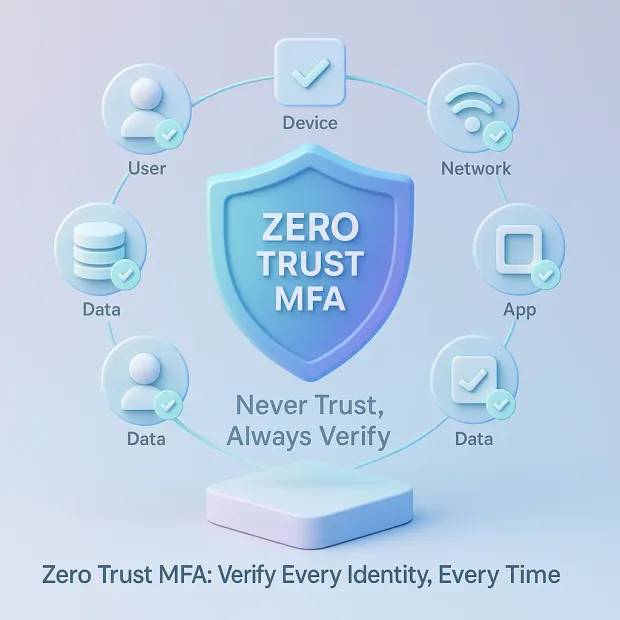
Zero Trust is a modern security framework built on a simple idea: trust nothing by default and verify everything, every time. Instead of assuming users or devices inside a network are safe, Zero Trust treats every request as a potential threat until identity, context, and risk signals prove otherwise.
In practice, Zero Trust is not just a concept, it becomes a repeatable model for enforcing zero trust access management across applications, APIs, and infrastructure. Whether you’re designing for hybrid or cloud security zero-trust environments, the goal remains the same: remove implicit trust and ensure every request is verified in alignment with a broader zero-trust security model.
This is a major shift from the old “castle-and-moat” model, where anyone inside the perimeter was implicitly trusted. Today, with remote work, cloud apps, mobile devices, and API-driven architectures, there is no single perimeter left to protect. Zero Trust moves security controls directly to identities, devices, applications, and sessions where breaches actually happen.
Core Principles of Zero Trust Security
These foundational pillars guide every Zero Trust implementation:
Principle 1: Never Trust, Always Verify
Every access attempt must be authenticated, authorized, and validated regardless of user location, device type, or past behavior.
Principle 2: Assume Breach
Zero Trust operates under the assumption that attackers may already be inside the environment. This mindset helps organizations reduce lateral movement and minimize blast radius.
Principle 3: Enforce Least Privilege Access
Users, apps, and machines should only get the minimum access required, nothing more. Reducing unnecessary privileges dramatically lowers the risk of exploitation.
Principle 4: Continuous Verification (Not One-Time Authentication)
Unlike traditional models, Zero Trust does not “trust forever” after login. It continuously evaluates identity risk signals such as:
-
Device posture
-
Network trust level
-
Behavior anomalies
-
Real-time session context
This creates a dynamic, adaptive security layer that evolves with user behavior and threat patterns.
This is also where continuous authentication zero trust becomes real. Instead of treating authentication as a one-time gate, Zero Trust extends verification into the session itself making identity assurance an always-on control that reinforces zero trust data security, not just login security.
What Is MFA and Why Does It Matter in Zero Trust
Multi-Factor Authentication (MFA) adds an essential defensive layer by requiring users to verify their identity using two or more independent factors, not just a password. These factors fall into three core categories:
-
Something you know (password or PIN)
-
Something you have (authenticator app, device, hardware key)
-
Something you are (biometrics like fingerprint or face scan)
This layered approach dramatically reduces the chances of unauthorized access, even when passwords are stolen — a major reason why MFA has become one of the most widely recommended security controls across industries.
Also read: Top 10 Benefits of Multi-Factor Authentication (MFA)
Why Zero Trust Needs More Than Passwords
In a Zero Trust model, passwords alone fail for three critical reasons:
1. Passwords are easily compromised
They’re reused, stolen, phished, leaked, brute-forced, or guessed. Zero Trust eliminates this weak link by requiring stronger proof of identity.
2. Identity not IP or network is the new perimeter
Modern systems no longer rely on network location (“inside = safe”). MFA shifts trust validation to the individual user and device.
3. Zero Trust requires continuous assurance
A password gives one-time verification. MFA provides ongoing proof that the authenticated user is still legitimate, helping organizations detect session hijacking, fraudulent behavior, or unusual access attempts.
Zero Trust & MFA: How They Work Together
Zero Trust and MFA are not two separate strategies; they operate as a unified identity security model. Zero Trust establishes the rules for continuous validation, and MFA provides the strong identity assurance needed to enforce those rules. When combined, they create a security posture that is both highly resilient and intelligent enough to adapt to real-world user behavior.
When implemented correctly, zero trust mfa becomes the identity enforcement layer inside a broader zero trust architecture. It ensures that access decisions are continuously tied to risk—so even if a credential is stolen, the attacker can’t simply “log in and stay in.” This is why many modern zero trust solutions treat adaptive MFA as a core pillar.
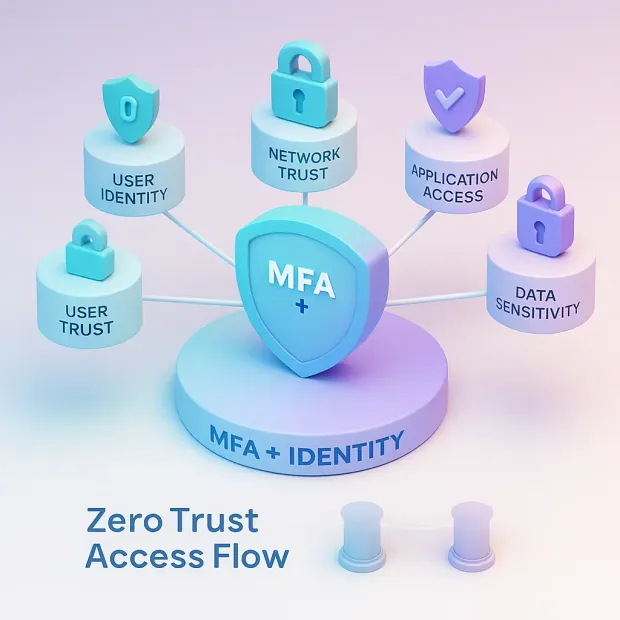
1. MFA Enables “Never Trust, Always Verify”
Zero Trust requires every access attempt to be validated, no matter where it comes from. MFA strengthens that validation through additional factors, ensuring identity cannot be faked with just a password.
How MFA supports this Zero Trust pillar:
-
Confirms user identity even when credentials are compromised
-
Ensures access is based on verified identity, not location or IP
-
Stops attackers from using stolen or brute-forced passwords
Zero Trust sets the principle. MFA enforces it.
2. Enforcing Least Privilege Access With MFA
Least privilege isn’t only about permissions it’s also about when and how access is granted.
MFA allows organizations to require stronger verification for:
-
High-risk roles
-
Sensitive resources
-
Administrative actions
-
Inter-region logins
-
Suspicious or repeat access attempts
This ensures privileged access is always justified and validated.
3 Strengthening Access Control Decisions With Context
Zero Trust access control is context-driven, and MFA strengthens that context by adding identity assurance.
Combined, they evaluate:
-
User identity
-
Device trust score
-
Location risk
-
Network quality
-
Behavioral anomalies
-
Resource sensitivity
MFA becomes a dynamic control that triggers only when risk rises key to a frictionless Zero Trust experience.
Also read: Implementing Zero Trust? Make Sure You're Doing It Correctly
4. Completing the Zero Trust Loop
Zero Trust is not a one-time check. It’s a loop of: Authenticate → Authorize → Monitor → Re-evaluate.
MFA plugs directly into each stage:
-
Before login
-
During high-risk actions
-
While monitoring session anomalies
-
During policy violations
-
Upon unusual device or network activity
This keeps identity validated throughout the entire user journey not only at login.
Why Zero Trust Requires Adaptive MFA (Not Just Traditional MFA)
Traditional MFA was designed for a simpler era one where verifying a password and sending an OTP was enough to keep accounts secure. But today’s threat landscape is far more sophisticated.
Attackers use real-time phishing proxy kits, MFA fatigue attacks, device spoofing, SIM swaps, and credential stuffing at scale. Zero Trust demands continuous, intelligent verification and that’s where Adaptive MFA becomes essential.
Adaptive MFA upgrades authentication from a static checkpoint to a context-aware, real-time decision engine that only applies friction when truly needed.
1. Traditional MFA Is Static and Easy to Predict
Traditional MFA applies the same authentication steps to every user, every time:
-
Enter password
-
Enter OTP
-
Get access
This seems secure, but it introduces several issues:
-
High friction for legitimate, low-risk users
-
Vulnerable to phishing and AITM attacks
-
Predictable flow that attackers can automate
-
No evaluation of device, behavior, or network context
-
No intelligence behind when MFA should or shouldn't trigger
In Zero Trust, predictability becomes a weakness.
2. Adaptive MFA Completes the Zero Trust Model
Zero Trust thrives on continuous, intelligent verification. Adaptive MFA provides exactly that by analyzing:
-
Device fingerprinting
-
IP reputation & location
-
Behavior patterns
-
Network signals
-
User’s historical risk profile
-
Resource sensitivity
Based on real-time signals, Adaptive MFA decides whether to:
-
Allow a frictionless login
-
Apply silent background checks
-
Trigger step-up MFA
-
Block the session entirely
This ensures security doesn’t depend on always challenging users, but on challenging only when the session becomes risky.
Also read: Adaptive Authentication- Is it the Next Breakthrough in Customer Authentication?
3. Reducing MFA Fatigue While Increasing Security
Zero Trust must avoid two extremes:
-
Too much friction → user frustration, drop-offs
-
Too little friction → higher breach risk
Adaptive MFA solves this balance by:
-
Eliminating unnecessary prompts
-
Reducing MFA fatigue attacks
-
Lowering abandonment during login
-
Maintaining peak UX for trusted users
This is why leading identity platforms and security frameworks adopt Adaptive MFA as the new standard.
Key Components of Zero Trust MFA (Competitor-Matched Depth)
Zero Trust MFA is not a single feature, it's an integrated ecosystem of identity, context, policy, and continuous verification. The following components form the foundation that most leading security platforms use to enforce strong, intelligent authentication.
A strong zero-trust security platform doesn’t treat MFA as a standalone feature. It integrates identity, device posture, policy, and real-time session monitoring into one system. So authentication and authorization work together to enforce zero-trust access consistently across every application entry point.
1. Identity Verification
Identity is the new perimeter, and strong identity verification is the first step in any Zero Trust decision.
Zero Trust MFA ensures:
-
Users are who they claim to be
-
Identities are validated against authoritative sources
-
Identity assurance levels match the sensitivity of the requested resource
This sets the stage for every subsequent Zero Trust decision.
2. Device Trust & Posture Checks
Modern attacks often exploit compromised or unknown devices. Zero Trust mandates that access must come from trusted, healthy devices.
Adaptive MFA evaluates device signals like:
-
OS version
-
Jailbreak / root indicators
-
Browser integrity
-
Device ID fingerprinting
-
Hardware consistency
This prevents risky or unknown devices from entering the environment.
3. Network & Environment Risk Checks
Network context plays an essential role in Zero Trust MFA:
Signals include:
-
IP risk scoring
-
Geo-location changes
-
Impossible travel detection
-
Proxy / VPN / TOR usage
-
Public Wi-Fi or unsafe networks
Zero Trust MFA adjusts authentication strength based on these real-time signals.
4. Continuous Risk Evaluation
Zero Trust does not trust a user indefinitely after login. It continuously analyzes session behavior and context to detect anomalies.
This includes:
-
Sudden device changes
-
Unusual click patterns
-
High-velocity login attempts
-
API behavior shifts
-
Session hijacking signals
When anomalies are detected, MFA is stepped up instantly.
MFA Methods That Best Support Zero Trust
Zero Trust demands authentication methods that are resilient against phishing, man-in-the-middle (AITM) attacks, credential theft, and device compromise. Not all MFA factors offer the same level of protection. Below are the methods that align best with Zero Trust principles, ranked from strongest to moderate.
1 . WebAuthn & Passkeys (Strongest, Most Zero Trust-Aligned)
WebAuthn and passkeys are built on cryptography and device-bound credentials, making them nearly impossible to phish or intercept.
Benefits:
-
Phishing-resistant
-
Tied to device hardware
-
Fast and frictionless
-
Ideal for Zero Trust continuous verification
-
No shared secrets to steal
Because of their advanced security and smooth user experience, passkeys are becoming the new standard for Zero Trust authentication.
2. FIDO2 Security Keys
Hardware tokens like YubiKeys provide the highest level of credential assurance for high-risk users, admins, and privileged access scenarios.
Why they work well for Zero Trust:
-
Immune to phishing
-
Resistant to malware and AITM
-
Hardware-backed keys reduce attack surface
These keys excel in sensitive or high-security environments.
3. Push Notifications with Number Matching
Push-based authentication improves usability and security, especially when combined with number matching or device binding.
Advantages:
-
More secure than OTP
-
Harder for attackers to intercept
-
Useful for step-up authentication in Zero Trust flows
Push MFA is commonly used for everyday, moderate-risk access.
4. TOTP Authenticator Apps
Apps like Google Authenticator, Microsoft Authenticator, or Authy offer a decent balance of security and usability.
However, they are not phishing-resistant, making them suitable for Zero Trust only as backup factors.
Strengths:
-
More secure than SMS OTP
-
Offline support
-
Widely adopted
5. SMS & Email OTP (Weakest, Least Recommended for Zero Trust)
Although still widely used, SMS and email OTPs are vulnerable to:
-
SIM swap attacks
-
SS7 protocol exploits
-
Email compromise
-
OTP interception malware
Zero Trust recommends avoiding SMS/email OTP as a primary factor and reserving them only for recovery scenarios.
Benefits of Combining Zero Trust & MFA
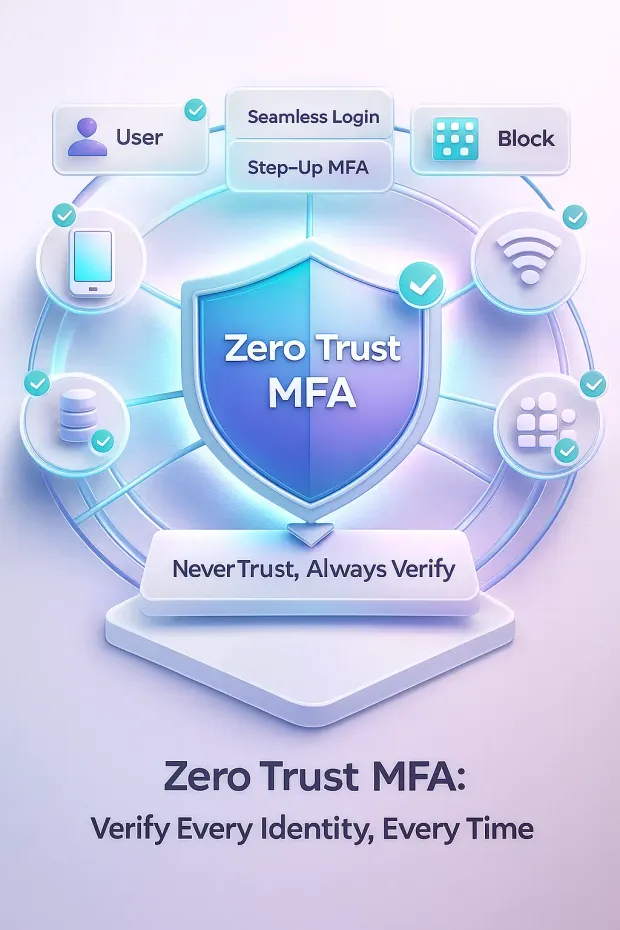
When Zero Trust and MFA work together, they create a modern security posture that strengthens identity integrity, reduces attack surface, and improves overall user experience. This combination provides benefits far beyond what either approach can accomplish on its own.
1. Strong Identity Protection at Every Access Point
MFA ensures that identity cannot be impersonated with stolen credentials, while Zero Trust continuously checks whether the authenticated user remains trustworthy.
Together, they:
-
Block unauthorized logins
-
Reduce credential-based attacks
-
Prevent account takeover (ATO)
This protects the most vulnerable entry point in modern systems: identity.
2. Better Defense Against Modern Threats
Attackers now rely on AITM phishing kits, SIM swaps, session hijacking, and malware that bypass traditional MFA.
Zero Trust MFA protects against:
-
Real-time phishing & man-in-the-middle attacks
-
Suspicious or unfamiliar devices
-
Anomalous behavior patterns
-
Credential stuffing and brute force
-
High-risk geographic activity
By combining continuous monitoring with step-up MFA, threats are detected and stopped early.
Learn how step-up authentication works and how it can drive enterprise business success
3. Minimized Lateral Movement Inside the Environment
Zero Trust assumes attackers may already have some access. With MFA enforcing strong verification on privileged actions, attackers face barriers at every step of lateral movement.
This significantly limits:
-
Privilege escalation
-
Internal data access
-
Spread across network segments
Even if attackers infiltrate one area, progress becomes nearly impossible.
4. Reduced User Friction Through Adaptive Controls
Zero Trust is not about adding friction, it’s about adding intelligence.
Adaptive MFA only challenges users when risk rises, allowing:
-
Smooth access for trusted behaviors
-
Background continuous checks
-
Fewer interruptions during regular sessions
This enhances login experience while maintaining maximum security.
5. Improved Compliance and Audit Readiness
Many regulatory standards now expect strong authentication and continuous monitoring.
Zero Trust MFA supports frameworks like:
-
GDPR
-
HIPAA
-
PCI-DSS
-
NIST 800-63 & 800-207
-
ISO 27001
-
SOC 2
Implementing both ensures organizations meet identity, access, and risk management requirements, strengthening trust in high-stakes industries.
Zero Trust MFA Architecture (A Must-Have for Modern Identity Security)
A strong Zero Trust MFA strategy is only as effective as the architecture behind it. Modern identity ecosystems must support global scale, real-time risk decisions, device trust, and continuous authorization without slowing down user experience. Below is the architectural blueprint that enables Zero Trust MFA to function intelligently and reliably in large-scale applications.
From an implementation standpoint, zero-trust architecture works best when it aligns identity systems with policy enforcement and session intelligence. That’s why many enterprises evaluate zero trust solutions not only for network segmentation, but also for identity-driven controls like zero trust access management and adaptive MFA—especially in cloud and API-heavy environments.
1. Global Identity Store & Directory Layer
Everything begins with a centralized, secure identity store capable of:
-
Managing millions of user profiles
-
Storing identity attributes, aliases, identifiers
-
Maintaining passwordless and MFA credentials
-
Supporting compliance (GDPR, data residency, consent)
-
Enforcing identity assurance levels
This layer acts as the single source of truth for all users, devices, and risk metadata.
2. Authentication Gateway & Policy Engine
The authentication gateway routes every login attempt into a unified pipeline where Zero Trust policies are enforced.
Key responsibilities:
-
Initiating user authentication
-
Applying risk-based policy logic
-
Triggering MFA or step-up actions
-
Coordinating user session creation
-
Handling federation (OIDC, SAML, OAuth)
This is the “traffic controller” of Zero Trust MFA.
3. Context Signals Collection Layer
Zero Trust is context-driven. This layer continuously gathers real-time signals such as:
-
Device fingerprinting
-
Browser integrity
-
Location and geovelocity
-
IP reputation
-
Network type (public Wi-Fi, proxy, TOR)
-
Behavioral patterns (typing, navigation, timing)
-
Past account risk history
-
Resource sensitivity
The richer the signals, the more intelligent the risk evaluation becomes.
4. Risk Engine & ML-Based Decisioning
The risk engine sits at the heart of Zero Trust MFA architecture. It analyzes all context signals using ML models and threat intelligence.
Its functions include:
-
Risk scoring for every login
-
Detecting anomalies
-
Identifying suspicious activity
-
Predicting high-risk behaviors
-
Determining whether MFA is needed
-
Blocking malicious sessions
This is the layer competitors emphasize heavily but CIAM requires even faster and more accurate decisions.
5. Adaptive MFA Logic & Step-Up Determination
Based on the risk engine’s output, the Adaptive MFA logic determines the appropriate action:
-
Seamless Login: For low-risk and trusted sessions
-
Silent Checks: Background verification without user prompts
-
Step-Up MFA: For medium-to-high-risk scenarios
-
Block: If the risk score indicates malicious intent
This ensures security without unnecessary friction.
6. Session Management & Continuous Authorization
Zero Trust doesn’t stop after authentication. This layer monitors session behavior to detect:
-
Sudden location changes
-
Device switching mid-session
-
Suspicious API patterns
-
High-velocity or unusual activity
-
Potential session hijacking
If risk increases, the session is re-evaluated and may trigger step-up MFA or termination.
7. API, App, and Microservice Integration Layer
Modern applications rarely function as a single monolithic system.
Zero Trust MFA must integrate seamlessly with:
-
Mobile apps
-
Web applications
-
APIs and backend services
-
Microservices and cloud workloads
-
Third-party identity providers
This ensures Zero Trust controls apply consistently across every service and platform.
This architecture forms the backbone of a modern, identity-first security model, enabling Zero Trust and MFA to work in perfect harmony, secure, scalable, and user-centric.
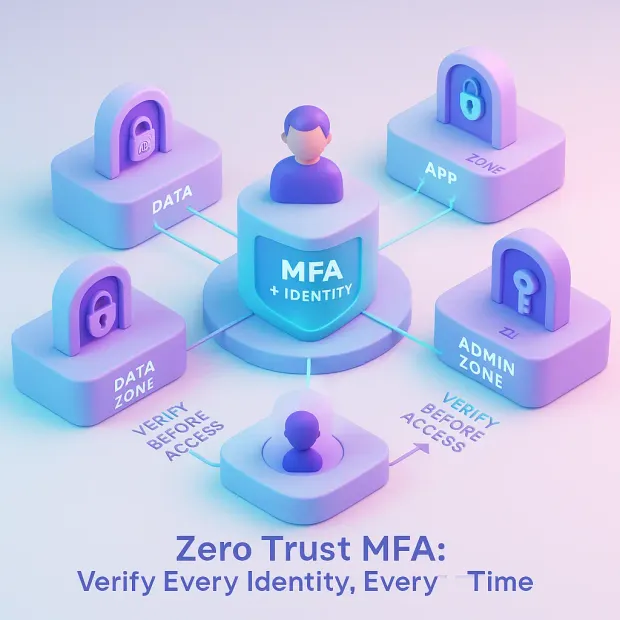
Zero Trust MFA for CIAM
Most Zero Trust conversations revolve around workforce security, but customer-facing applications operate on a completely different scale. CIAM environments must handle millions of users, global traffic, unpredictable login behavior, and extremely low tolerance for friction. This makes Zero Trust MFA far more complex and far more critical for consumer and SaaS applications.
CIAM environments also magnify the need for cloud security zero trust patterns because customer traffic is global, unpredictable, and highly targeted. In these cases, zero-trust mfa strengthens authentication while supporting consistent policy enforcement so security scales without breaking onboarding, retention, or session continuity.
Below is what truly distinguishes CIAM-based Zero Trust MFA from traditional workforce IAM models.
1. Customer Authentication Has Zero Tolerance for Friction
Employees can be trained to use tokens or follow complex login rules. Customers cannot.
In CIAM:
-
Every extra authentication step impacts conversion rates
-
MFA prompts directly influence sign-ups, logins, and checkout drop-offs
-
UX must be as smooth as it is secure
-
High friction leads to abandonment, not compliance
Zero Trust MFA solves this by applying authentication only when risk rises not during every login.
2. Massive Scalability Requirements
Consumer identity systems must support:
-
Millions of monthly active users
-
Peak login spikes (flash sales, product launches, holiday traffic)
-
Global distribution across multiple regions
-
Real-time failover and active-active architectures
Zero Trust MFA architecture must be built to withstand high concurrency while maintaining low latency for risk evaluation and MFA prompts.
3. Dynamic User Behavior Requires Adaptive Intelligence
Customer behavior changes constantly:
-
New devices
-
Different networks
-
Frequent travel
-
Shifting patterns
Traditional MFA cannot handle this variability.
Zero Trust MFA uses:
-
Device intelligence
-
Behavior analytics
-
ML-based risk scoring
-
Contextual signals
…to maintain trust without causing unnecessary user challenges.
4. CIAM Requires Lightweight, Invisible Risk Checks
Unlike workforce IAM, CIAM cannot rely on heavy-handed security prompts.
Zero Trust MFA supports:
-
Silent background checks
-
Passive device recognition
-
Behavioral scoring
-
Geo-aware risk evaluation
-
Seamless authentication paths
This keeps friction extremely low while maintaining high protection.
5 High-Stakes Consumer Data Increases Security Demands
Organizations managing customer identity often store:
-
Payment data
-
PII
-
Health records
-
Account history
-
Sensitive preferences
A single compromised account impacts not just one employee but potentially thousands or millions of customers. Zero Trust MFA dramatically reduces the risk of account takeover (ATO) and fraud.
6. Consistency Across All Customer Channels
Zero Trust MFA must work across:
-
Mobile apps
-
Websites
-
APIs
-
IoT interfaces
-
Partner ecosystems
-
Social login providers
And it must maintain consistent identity assurance across all of them. This omnichannel consistency is something workforce IAM systems rarely need to solve.
7. Fast Global Response Times
Customer MFA cannot wait for slow risk engines or overloaded authentication pipelines.
Zero Trust MFA for CIAM requires:
-
Sub-second risk scoring
-
Fast cryptographic factor checks
-
Global multi-region orchestration
-
Low latency session re-verification
Every millisecond affects user experience—and ultimately revenue.
8. Competitive Differentiation in Digital Products
Product teams now choose authentication providers not only for security, but also because Zero Trust MFA:
-
Reduces user friction
-
Improves login success rates
-
Enhances trust
-
Lowers fraud losses
-
Supports growth and retention
Customer identity is no longer just a security decision it’s a business and product decision.
Implementation Roadmap: How to Deploy Zero Trust MFA
Implementing Zero Trust MFA is not a switch you build in stages. The roadmap below simplifies the process into actionable steps that help organizations strengthen identity security without disrupting user experience or existing systems.
1. Assess Your Current Identity and Access Posture
Start with a thorough evaluation of where your authentication system stands today.
Key questions:
-
How are users currently authenticating?
-
Which MFA factors do you support?
-
What user segments are most at risk?
-
What devices and networks does your audience rely on?
-
Are there gaps in password, session, or device security?
This forms the baseline for Zero Trust MFA adoption.
2. Identify MFA Requirements by User Segment
Not all users require the same level of security.
Break down users into groups:
-
High-risk (admins, financial roles)
-
Medium-risk (active customers)
-
Low-risk (guest or trial users)
Determine which identity assurance levels each group needs. This enables more precise, least-privilege design.
3. Select Phishing-Resistant MFA Methods First
Zero Trust architectures strongly favor:
-
Passkeys
-
WebAuthn
-
Security keys (FIDO2)
-
Device-bound cryptographic authentication
Then add:
-
Push with number matching
-
TOTP apps
-
SMS/email OTP (for fallback only)
This ensures strong MFA from day one.
4. Integrate a Real-Time Risk Engine
This is the core of any adaptive Zero Trust implementation.
Integrate a risk engine capable of:
-
Device fingerprinting
-
Behavioral analytics
-
Git of context: location, IP reputation, network risk
-
Bot detection + anomaly scoring
-
Machine learning-based decisions
The risk engine decides when to challenge users—and when not to.
5. Deploy Adaptive MFA Policies
Once risk scoring is in place, apply Adaptive MFA rules:
-
Low risk → Seamless, MFA-free login
-
Moderate risk → Silent checks + behavior validation
-
High risk → Step-up MFA
-
Critical risk → Block access
This ensures friction only appears where necessary.
6. Implement Continuous Session Monitoring
Zero Trust is ongoing, not a one-time gate.
Monitor:
-
Session hijacking attempts
-
Sudden IP changes
-
Device switching
-
Unusual click or navigation patterns
-
Repeated suspicious access attempts
Trigger adaptive re-authentication when behavior deviates from baseline.
7. Roll Out MFA Gradually to Reduce Drop-offs
A full switch can overwhelm users.
Use a phased rollout:
-
Start with high-risk actions
-
Add MFA for sensitive resources
-
Introduce optional MFA for everyday logins
-
Encourage passkey enrollment
-
Nudge users to upgrade from SMS to stronger factors
This maintains adoption while minimizing friction.
8. Build a UX That Supports Zero Trust
Strong security fails without strong usability.
Improve the experience with:
-
Clear MFA prompts
-
Simple passkey onboarding
-
In-session guidance (why MFA triggered)
-
Multiple fallback methods
-
Fast, mobile-friendly interfaces
Better UX = higher conversion + fewer support tickets.
9. Test, Monitor, and Continuously Improve
After deployment, monitor key metrics:
-
Login success rate
-
MFA completion rate
-
Risk false positives
-
Account takeover attempts
-
User friction events
-
Session anomaly rates
Iterate based on data not assumptions.
Common Challenges And How to Overcome Them
Zero Trust MFA is powerful, but adopting it at scale comes with real obstacles ranging from user friction to technical complexity. Understanding these challenges upfront helps organizations design a more resilient, user-friendly authentication strategy.
1. MFA Fatigue and User Friction
Excessive MFA prompts lead to frustration, drop-offs, and support tickets. In consumer apps, every extra step impacts conversion rates.
Solution: Adaptive MFA reduces friction by triggering additional checks only when necessary, ensuring low-risk users enjoy seamless logins.
2. Latency and Performance Issues
Global CIAM systems must deliver sub-second MFA and risk evaluations even during peak traffic.
Solution: Use multi-region deployment, edge authentication, and distributed risk engines to maintain fast response times worldwide.
3. False Positives from Risk Engines
Overly sensitive risk policies may challenge legitimate users, causing unnecessary friction.
Solution: Continuously tune risk thresholds using machine learning, behavioral baselines, and real-world telemetry.
4. Integration Complexity
Connecting authentication gateways, MFA systems, apps, APIs, and microservices can be challenging.
Solution: Adopt standards-based protocols like OIDC, OAuth 2.0, and SAML, and choose a CIAM platform with plug-and-play Adaptive MFA capabilities.
5. Device Compatibility and Recovery Issues
Users may lose devices, switch phones, or face compatibility issues with certain MFA methods.
Solution: Provide consistent fallback options (backup codes, email verification, secure recovery flows) and encourage enrollment in phishing-resistant factors like passkeys.
6. Managing Global Identity Requirements
Different regions have different data residency, compliance, and risk tolerance requirements.
Solution: Use a CIAM platform that supports multi-region data storage, configurable risk policies, and jurisdiction-aware authentication flows.
Zero Trust MFA Comparison Matrix
| Category | Traditional Authentication (Passwords Only) | Traditional MFA (Static MFA) | Zero Trust Adaptive MFA |
|---|---|---|---|
| Security Strength | Very Weak | Moderate | Very Strong (phishing-resistant) |
| Protection Against AITM & Phishing | None | Low to Moderate | High (WebAuthn, passkeys, device binding) |
| User Friction | Low | High (every login prompts MFA) | Minimal (MFA only when risk is detected) |
| Risk Evaluation | None | None | Real-time (device, behavior, IP, location) |
| Context Awareness | No | No | Full contextual signals + ML scoring |
| Adaptive Step-Up Authentication | No | No | Yes |
| Device Trust & Posture Checks | No | Limited | Strong device intelligence |
| Continuous Session Monitoring | No | No | Yes (session anomalies trigger re-auth) |
| Scalability for CIAM | Poor | Fair | Excellent (multi-region, high throughput) |
| Compliance Readiness | Poor | Good | Excellent (NIST, PCI-DSS, GDPR, HIPAA) |
| Attack Surface Reduction | Very Low | Moderate | Very High |
| UX Impact | Good | Often Negative | Strong (low friction, high assurance) |
| Ideal Use Case | Low-risk apps | Workforce internal apps | High-scale consumer apps + enterprise workloads |
This table clearly shows why Zero Trust Adaptive MFA is the most secure, scalable, and user-friendly authentication model for modern customer identity environments.
Conclusion
Zero Trust and MFA are no longer optional; they are the foundation of modern identity security. But as threats evolve and user expectations rise, traditional MFA alone can’t keep pace. Attackers now bypass OTPs, exploit friction-heavy flows, and weaponize stolen credentials at scale.
At the same time, customers expect instant, seamless access with zero tolerance for unnecessary interruptions.
This is where Zero Trust Adaptive MFA becomes a game changer.
Because Zero Trust is designed for continuous validation, zero trust mfa becomes one of the most effective ways to enforce identity-driven control inside a modern zero-trust security model. Combined with device trust, risk scoring, and session monitoring, it strengthens zero trust data security and enables reliable zero trust access management without forcing unnecessary friction on every login.
By continuously analyzing context, evaluating real-time risk, verifying device trust, and intelligently adapting authentication requirements, Adaptive MFA delivers the strongest possible protection with the least possible friction. It aligns perfectly with Zero Trust’s core principles: never trust, always verify, assume breach, and enforce least privilege at all times.
For consumer-facing applications, this approach is even more critical. CIAM environments must defend millions of users across regions and devices without compromising user experience, conversion rates, or performance.
Zero Trust Adaptive MFA gives organizations the ability to secure every session while keeping the path to login fast, intuitive, and frustration-free.
Security teams get stronger protection. Product teams get higher retention and smoother onboarding. Users get a safer, simpler way to access the services they trust.
This is what modern authentication should look like.
Ready to Bring Zero Trust Adaptive MFA to Your Applications?
LoginRadius gives you everything you need to implement Zero Trust MFA at scale. Start your journey toward stronger, smarter authentication today. Book a demo today!
FAQs
Q: What is Zero Trust MFA?
Zero Trust MFA is an authentication approach where every login, device, and action is continuously verified using multi-factor authentication and contextual risk checks. It assumes no user or device is trusted by default, even inside the network.
Q: How does Zero Trust MFA improve security?
A: Zero Trust MFA uses continuous validation, behavioral analytics, and device intelligence to detect suspicious activity in real time. It also prevents common attack vectors like phishing, credential stuffing, and session hijacking.
Q: How is Zero Trust MFA different from traditional MFA?
A: Traditional MFA triggers the same challenge for every user, while Zero Trust MFA adapts based on risk. If risk is low, users get frictionless access; if risk is high, the system triggers step-up authentication or blocks the request.
Q: Does Zero Trust MFA reduce user friction?
A: Yes. Zero Trust MFA only challenges users when risk is detected, meaning most logins feel seamless. This reduces authentication fatigue, improves login success rates, and enhances overall user experience.
Q: Why should organizations adopt Zero Trust MFA?
A: Organizations adopt Zero Trust MFA to stop identity-based attacks, secure hybrid workforces, meet compliance needs, and protect customer accounts at scale. It strengthens Zero Trust policies while maintaining fast, secure user access.