Top Authentication Methods Every Business Should Use in 2026

Modern authentication is evolving beyond passwords. Explore the best authentication methods in 2026, including MFA, passkeys, biometrics, adaptive authentication, and phishing-resistant login strategies designed to secure modern applications without increasing user friction.
First published: 2026-06-10      |      Last updated: 2026-06-10

Introduction

In today’s hyper-connected world, cyber threats don’t just knock, they break in. From social engineering and deepfakes, the risks targeting user identities are more advanced than ever.

  • The evolving challenges explored in our recent breakdown of CISO’s top cybersecurity concerns for 2025 highlight just how critical robust authentication has become.

  • With remote work, cloud ecosystems, and hybrid infrastructures dominating the digital landscape, the need for strong, adaptive authentication methods has become critical, and not optional anymore.

  • Over 80% of data breaches are linked to compromised credentials, making strong authentication essential for modern applications.

Attackers today rarely “hack in” through complex technical exploits alone. More often, they steal credentials, hijack sessions, bypass weak MFA flows, exploit phishing kits, or manipulate users into approving fraudulent login requests. The identity layer has become the fastest path into applications, APIs, SaaS platforms, and enterprise environments. That shift is forcing organizations to rethink authentication entirely.

Authentication is no longer just about proving identity once during login. Modern identity systems continuously evaluate trust using behavioral signals, risk analysis, cryptographic verification, device posture, and contextual authentication policies.

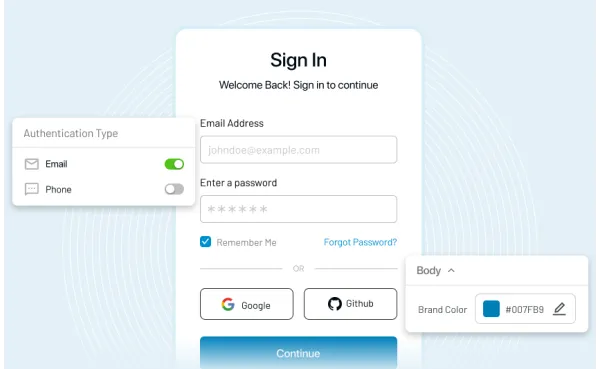
Authentication process flow illustrating user login, authentication server validation, verification step, and secure access granted

At the same time, users expect faster onboarding, seamless cross-device experiences, and low-friction login flows. That balance between strong security and smooth user experience is now shaping the future of authentication.

In this guide, we’ll break down the most widely used authentication methods, how they work, where they succeed, where they fail, and which approaches are becoming the new standard for modern identity security.

Authentication vs Authorization: What’s the Difference?

Authentication and authorization solve two different security problems.

Authentication verifies identity: “Who are you?”

Authorization determines permissions: “What are you allowed to access?”

Authentication and authorization are often used together but serve different purposes.

FeatureAuthenticationAuthorization
PurposeVerifies user identityDetermines user permissions
ExampleLog in with a password or biometricsAccess to files or resources
When it happensFirst stepAfter authentication

If you are interested in learning more about the differences or in detail, you can read this authentication vs authorization blog of ours.

Authentication vs Verification vs Identity Proofing

These terms are often confused, but they solve different identity challenges.

Authentication verifies that a user is genuinely who they claim to be during login. Verification confirms ownership of a device, email address, or phone number. Identity proofing establishes that the user is a legitimate real-world identity before an account is trusted.

ProcessPurposeExample
AuthenticationVerifies identityPasskeys, MFA, biometrics
VerificationConfirms ownership of a factorEmail or phone OTP
Identity ProofingValidates real-world identityKYC or ID verification

Modern identity systems often combine all three to reduce fraud, prevent fake account creation, and strengthen account security.

Top User Authentication Methods Explained for Modern Apps

Here are top proven user authentication methods that every business should consider today:

1. Passwordless Authentication

This method eliminates the need for traditional passwords by using other identifiers such as biometrics, one-touch login, or one-time passcodes (phone/email) sent to trusted devices.

Passwordless logins are a part of advanced authentication methods, improving security while reducing friction for users.

Illustration showing the LoginRadius console showing passwordless authentication configuration with the default email provider, along with default email template configuration

2. Multi-Factor Authentication (MFA)

Multi-Factor Authentication (MFA) is a security process that requires users to verify their identity using two or more independent factors like a password, a device, or a biometric. It significantly reduces the risk of unauthorized access by adding extra layers of protection beyond just a password.

MFA requires users to provide two or more verification factors:

  • Something you know (password or PIN)

  • Something you have (smartphone or token)

  • Something you are (biometric data)

This layered approach combines different types of authentication to reduce the risk of credential compromise. Moreover, businesses these days rely on a more advanced form of MFA i.e., adaptive authentication.

Adaptive authentication automatically adjusts the level of security by adding additional authentication factors if anything suspicious related to login is detected (we’ll learn in detail below).

Illustration showing the LoginRadius console showing multi-factor authentication settings with mfa factors options, including email otp, sms otp, time-based otp (TOTP), and security questions configuration

Why TOTP and Push MFA Still Matter

Most organizations are not replacing their entire authentication stack overnight. Authenticator apps and push MFA still play a major role because they are relatively inexpensive, familiar to users, and easier to deploy across large customer bases.

But there is an important distinction now.

Traditional push notifications without protections can be vulnerable to MFA fatigue attacks. Modern push authentication systems increasingly use:

  • Number matching

  • Device binding

  • Context-aware approvals

  • Risk-based authentication triggers

Those additions significantly improve security without creating major friction for users.

SMS OTP is still common, but no longer considered strong MFA

SMS-based authentication remains widely used because it is easy to deploy and users already understand it. But security teams increasingly treat SMS OTP as a transitional or fallback factor rather than a primary authentication strategy.

SIM-swapping attacks, message interception, phishing proxies, and mobile carrier vulnerabilities have weakened confidence in SMS authentication over time.

Many modern identity architectures now reserve SMS for:

  • Account recovery

  • Low-risk authentication

  • Temporary onboarding flows

  • Backup verification only

The Best MFA Strategy Is Usually Layered

Here is where many teams go wrong: they search for one “perfect” MFA method. In reality, modern authentication works best when it adapts to risk.

A low-risk login from a recognized device may only require a passkey or biometric verification. A suspicious login from a new geography might trigger step-up authentication using additional factors. High-privilege admin actions may require hardware-backed authentication entirely.

The strongest MFA strategies are no longer static. They are adaptive, phishing-resistant, and context-aware.

For organizations building modern identity systems, the goal is not simply adding more authentication layers. It is reducing attack surface while keeping login friction under control.

Engineering Note: Managing the Hybrid Auth Transition

Phishing-resistant passwordless deployment is a journey. To prevent siloes during your migration, leverage your Identity Provider (IdP) to run a progressive enrollment policy. Keep legacy federated SSO active for older systems while dynamically prompting compatible endpoints to upgrade to FIDO2 WebAuthn passkeys during standard login workflows.

3. Biometric Authentication

Using unique biological traits like fingerprints, facial recognition, or retina scans, biometrics are a reliable form of identity verification.

Biometric-based authentication mechanisms are harder to replicate and ideal for mobile apps and enterprise environments alike.

4. Token-Based Authentication

Tokens, either hardware or software-based, provide time-sensitive codes for login. They are used widely in financial services and internal enterprise tools.

These tokens strengthen authentication methods by introducing an external factor that attackers cannot easily access.

How Modern Authentication Works Behind the Scenes

Most users only see the login screen. What happens underneath is far more important.

Modern authentication is no longer a simple username-and-password check against a database. Today’s identity systems evaluate devices, tokens, sessions, risk signals, and behavioral context before granting access. Authentication has evolved into a layered identity verification process designed to reduce both friction and attack surface.

A modern authentication flow usually begins with an Identity Provider (IdP). When a user attempts to log in, the application redirects the request to the authentication server. Instead of directly validating credentials inside the application itself, the IdP manages identity verification centrally.

Once the user successfully authenticates using a password, passkey, biometric factor, or MFA challenge, the authentication server generates a signed token, often using standards like OAuth 2.0 or OpenID Connect (OIDC). This token contains identity claims, permissions, expiration rules, and session metadata.

The application then validates the token signature before granting access.

Unlike traditional session-based authentication systems, modern token-based authentication reduces repeated credential exposure and enables secure access across multiple applications, APIs, and devices.

Here is what a simplified modern authentication flow typically looks like:

  1. User initiates login

  2. Application redirects to Identity Provider

  3. User completes authentication

  4. Risk engine evaluates context signals

  5. MFA or step-up verification triggers if needed

  6. Identity server issues signed access token

  7. Application validates token and grants access

  8. Continuous session monitoring evaluates ongoing risk

This architecture is why authentication today extends far beyond passwords. The system continuously evaluates trust throughout the user session, not just during login.

Organizations adopting Zero Trust security models increasingly combine:

  • token-based authentication,

  • device trust validation,

  • adaptive MFA,

  • session intelligence,

  • behavioral analytics,

  • phishing-resistant authentication methods.

The result is a more resilient identity system capable of defending against credential theft, session hijacking, phishing proxies, and automated attacks.

5. Social Login

Social login allows users to sign in using credentials from platforms like Google, Apple, LinkedIn, or other social channels. It simplifies access and reduces password fatigue.

This method leverages existing network authentication systems from trusted providers, creating a secure and fast user experience. For instance, a user can sign in or sign up for a platform just by using their existing Facebook or Google account.

Illustration showing the LoginRadius console showing social providers, including Facebook, Twitter, Google, Apple, Sina Weibo, Salesforce, qq, PayPal configuration

6. Risk-Based / Adaptive Authentication

Adaptive authentication evaluates login context—such as location, device, and user behavior—to dynamically apply stricter verification when needed.

This smart approach is gaining traction as one of the most effective secure authentication methods for enterprises.

Authentication Architecture in Zero Trust Security

Traditional authentication assumed that once a user logged in successfully, they could generally be trusted for the rest of the session. Zero Trust changes that assumption completely.

Modern Zero Trust architectures operate on a simple principle: never trust, always verify. Authentication is no longer treated as a one-time event. Instead, identity, device posture, session behavior, and contextual risk signals are continuously evaluated throughout the entire access lifecycle.

That shift became necessary because attackers increasingly bypass perimeter defenses using stolen credentials, session cookies, phishing proxies, and compromised devices.

In a Zero Trust authentication model, access decisions often depend on multiple real-time factors:

  • user identity,

  • device health,

  • location,

  • network reputation,

  • behavioral patterns,

  • login anomalies,

  • privilege level,

  • application sensitivity.

For example, a login from a recognized device in a trusted location may proceed seamlessly using passwordless authentication. But if the same account suddenly attempts privileged access from an unfamiliar geography or unmanaged device, the system can trigger adaptive MFA or temporarily restrict access entirely.

This is where modern authentication methods become strategically important.

Passkeys, FIDO2 authentication, hardware security keys, adaptive MFA, and device-based authentication all align naturally with Zero Trust principles because they reduce dependence on reusable credentials and strengthen identity verification continuously.

Zero Trust authentication architectures also commonly rely on:

  • Identity Providers (IdPs),

  • Single Sign-On (SSO),

  • risk-based authentication engines,

  • short-lived access tokens,

  • continuous session validation,

  • least-privilege authorization models.

Instead of assuming trust after login, the system continuously recalculates trust throughout the session. That approach dramatically reduces the blast radius of compromised credentials and improves resilience against modern identity attacks.

Mitigating Token Theft Post-Auth: Securing the initial login is only half the battle. If session tokens are stolen via infostealer malware, traditional authentication fails. High-assurance architectures must implement Continuous Access Evaluation (CAE) to monitor session signals (like sudden IP shifts or ASN alterations) and revoke active tokens instantly without waiting for standard OAuth expiry intervals.

7. Certificate-Based Authentication

Digital certificates are used to verify identity, particularly for device and network authentication. This method is widely adopted in enterprise VPNs and machine-to-machine communications.

It supports various authentication methods in zero-trust environments, providing encrypted and scalable protection.

Here’s a quick guide for implementing certificate-based authentication for your applications.

8. Passkeys and the Future of Authentication

Passkeys are replacing traditional passwords with cryptographic authentication. Passkeys are cryptographic keys that replace traditional passwords. Stored securely on a device, passkeys use biometric or device-based verification to authenticate users across devices and platforms.

They are based on FIDO2 and WebAuthn standards.

Passkey TypeImplementation VariantCore Security/UX Benefit
Device-BoundHardware security keys (FIDO2)Highest phishing resistance; completely non-exportable.
SyncableCloud-escrowed (Apple/Google)Cross-device roaming; seamless consumer UX recovery.

Passkeys are now supported by major platforms and are becoming the default authentication method.

As an advanced authentication method, passkeys eliminate phishing risks and simplify login experiences, making them a future-proof option for modern applications.

Illustration showing the LoginRadius console showing passkeys configuration with passkey selection, progressive enrollment, and local enrollment, along with relying party configuration

9. Push-Notification MFA

Push-notification MFA sends a prompt to a registered device asking the user to approve or deny the login attempt. It provides a quicker and more secure alternative to SMS-based one-time passcodes.

This method strengthens secure authentication methods by reducing the reliance on manually entered codes and enhancing protection against phishing and social engineering attacks.

Illustration showing the LoginRadius console showing push notification mfa configuration with LoginRadius authenticator and the custom authenticator option

Best MFA Methods Ranked by Security, UX, and Cost in 2026

For years, organizations treated MFA as a simple checkbox: add an OTP, reduce risk, move on. That approach no longer holds up. Attackers adapted faster than most authentication stacks did. Phishing kits now intercept OTPs in real time. Push fatigue attacks manipulate users into approving requests they never initiated. Even traditional MFA can fail when the experience relies on secrets users can still type, share, or accidentally approve.

That is why MFA discussions in 2026 are shifting from “Do we have MFA?” to “Which MFA methods actually resist modern attacks without frustrating users?”

Not every factor delivers the same level of protection, usability, or operational cost. Some methods are highly secure but expensive to deploy. Others improve convenience but remain vulnerable to phishing or SIM-swapping. The right choice depends on your threat model, user base, compliance requirements, and customer experience expectations.

Authentication MethodSecurity StrengthPhishing ResistanceUser ExperienceDeployment ComplexityBest Use Case
PasskeysVery HighVery HighExcellentMediumModern passwordless systems
Adaptive MFAVery HighHighHighHighEnterprise security
Hardware Security KeysVery HighVery HighModerateHighAdmin and privileged access
Authenticator Apps (TOTP)HighMediumModerateLowConsumer and workforce MFA
Push MFAHighMediumHighMediumEnterprise login flows
BiometricsHighHighExcellentMediumMobile authentication
Social LoginMediumMediumExcellentLowConsumer onboarding
SMS OTPMedium-LowLowHighLowLegacy and fallback systems
Passwords OnlyLowLowModerateLowAvoid when possible

No authentication method solves every security and usability challenge equally well.

Some approaches maximize phishing resistance but increase deployment complexity. Others improve onboarding and conversion rates but provide weaker protection against modern identity attacks. The right authentication strategy depends on factors like threat exposure, compliance requirements, customer experience expectations, and operational scalability.

That is why modern identity systems increasingly combine multiple authentication approaches instead of relying on a single method alone.

Authentication Security Risks and Failure Points

Even advanced authentication methods can fail if not implemented correctly.

  • SMS OTP Attacks: SIM swapping can allow attackers to intercept one-time passwords.

  • MFA Fatigue Attacks: Attackers repeatedly send push notifications until users approve access.

  • Biometric Spoofing: Deepfake and facial spoofing techniques can bypass weak biometric systems.

  • Token Theft:Session tokens can be stolen and reused for unauthorized access.

To mitigate these risks:

  • Use phishing-resistant MFA

  • Monitor login behavior

  • Implement adaptive authentication .

Authentication Protocols Powering Modern Identity Systems

Modern authentication systems rely on standardized protocols to securely exchange identity and access information across applications, APIs, and platforms.

ProtocolPrimary PurposeCommon Use Cases
OAuth 2.0Delegated authorizationAPI access and token-based systems
OpenID Connect (OIDC)Authentication layer on OAuthSSO and modern identity platforms
SAMLEnterprise federated authenticationWorkforce SSO
FIDO2/WebAuthnPasswordless authenticationPasskeys and phishing-resistant login

These protocols form the foundation of modern identity architectures, enabling secure authentication across cloud applications, mobile ecosystems, APIs, and enterprise systems.

Without standardized authentication protocols, secure identity federation and scalable authentication across modern digital ecosystems would be extremely difficult to achieve.

illustration showing LoginRadius's free downloadable resource, named API economy, is transforming digitization: how to secure it using OAuth2.0

Understanding these protocols helps ensure that your user authentication techniques are both secure and scalable.

Choosing the Right Authentication Method for Your Business

There is no universal authentication strategy that fits every organization. The right approach depends on your risk exposure, user expectations, regulatory requirements, application architecture, and operational complexity. A consumer mobile app serving millions of users has very different authentication needs compared to a healthcare platform handling regulated patient data or an enterprise workforce environment managing privileged access.

Pre-Deployment Evaluation Checklist

  • User Friction Metrics: Evaluate onboarding friction vs account recovery complexity.

  • Technical Compatibility: Verify device compatibility and scalability across legacy infrastructures.

  • Risk & Compliance: Audit phishing resistance against statutory compliance requirements (e.g., NIST AAL levels).

Authentication Recommendations by Use Case

Business TypeRecommended Authentication Approach
Consumer ApplicationsSocial Login + Passkeys + Adaptive MFA
B2B SaaS PlatformsSSO + Passkeys + Risk-Based Authentication
Enterprise WorkforcePhishing-Resistant MFA + Device Trust
Financial ServicesHardware-Backed MFA + Identity Proofing
Healthcare PlatformsAdaptive MFA + Continuous Session Validation
Developer PlatformsOAuth 2.0 + API Authentication + Passkeys
eCommerce PlatformsPasswordless Login + Behavioral Risk Detection

Organizations should also consider practical operational factors such as:

  • onboarding friction,

  • account recovery complexity,

  • device compatibility,

  • phishing resistance,

  • compliance requirements,

  • deployment cost,

  • scalability.

For example, passkeys may dramatically improve security and user experience for consumer platforms, but regulated environments may still require additional identity proofing and hardware-backed authentication controls.

Modern authentication systems should align with the National Institute of Standards and Technology (NIST) SP 800-63-4 guidelines. NIST defines three Authentication Assurance Levels (AAL):

NIST Assurance LevelCore RequirementCompliant 2026 Factor
AAL1Basic Single-Factor AuthenticationStandard Passwords (To be avoided where possible).
AAL2Multi-Factor Authentication RequiredAuthenticator Apps (TOTP) / Secure Push Notifications.
AAL3High-Assurance Phishing-Resistant MFADevice-Bound Cryptographic Passkeys / Hardware Security Keys.

Organizations in regulated industries must align with these standards to ensure compliance.

The strongest authentication architectures are rarely built around a single method. They combine multiple layers of identity verification, adaptive security policies, and contextual risk analysis to protect users without introducing unnecessary friction.

Conclusion

Authentication is no longer just a login feature sitting at the edge of an application. It has become the foundation of modern digital trust.

As identity attacks continue evolving from phishing kits and credential stuffing to session hijacking and MFA fatigue organizations can no longer rely on passwords alone to protect users, applications, and business systems. Modern authentication strategies now require a combination of phishing-resistant MFA, adaptive authentication, passkeys, device trust, and continuous risk evaluation.

At the same time, security cannot come at the cost of usability. Users expect fast onboarding, seamless authentication across devices, and low-friction login experiences. The strongest authentication architectures are the ones that balance both security and user experience without compromising either.

Whether you're building a consumer application, enterprise SaaS platform, workforce identity system, or API ecosystem, choosing the right authentication methods can significantly reduce attack surface while improving trust, compliance, and scalability.

Ready to modernize your authentication strategy?

Explore how LoginRadius helps organizations implement passwordless authentication, adaptive MFA, passkeys, social login, and enterprise-grade identity security designed for today’s evolving threat landscape.

FAQs

Q: What is the most secure authentication method?

A: Phishing-resistant MFA and passkeys are considered the most secure.

Q: Is passwordless authentication secure?

A: Yes, it reduces risks associated with passwords.

Q: Why is MFA important?

A: MFA adds an extra layer of security beyond passwords.

Q: What is the most commonly used form of authentication?

A: Password-based login remains the most widely used form, although it is being rapidly replaced by advanced authentication methods like MFA and biometrics for improved security.

Q: What is the difference between authentication and authorization?

A: Authentication verifies identity, while authorization determines access. In short: authentication asks "Who are you?", authorization asks "What can you access?"

Q: How are users authenticated to the network?

A: Users are authenticated to the network through network authentication protocols such as RADIUS, LDAP, and certificate-based systems. These systems ensure secure access control.

book-a-free-demo-loginradius

Kundan Singh
By Kundan SinghKundan Singh serves as the Vice President of Engineering and Information Security at LoginRadius. With over 15 years of hands-on experience in the Customer Identity and Access Management (CIAM) landscape, Kundan leads the strategic direction of our security architecture and product reliability.

Prior to LoginRadius, Kundan honed his expertise in executive leadership roles at global giants including BestBuy, Accenture, Ness Technologies, and Logica. He holds an engineering degree from the Indian Institute of Technology (IIT), blending a rigorous academic foundation with deep enterprise-level security experience.
LoginRadius CIAM Platform

The State of Consumer Digital ID 2024

LoginRadius CIAM Platform

Top CIAM Platform 2024

LoginRadius CIAM Platform

Learn How to Master Digital Trust

Customer Identity, Simplified.

No Complexity. No Limits.
Thousands of businesses trust LoginRadius for reliable customer identity. Easy to integrate, effortless to scale.

See how simple identity management can be. Start today!